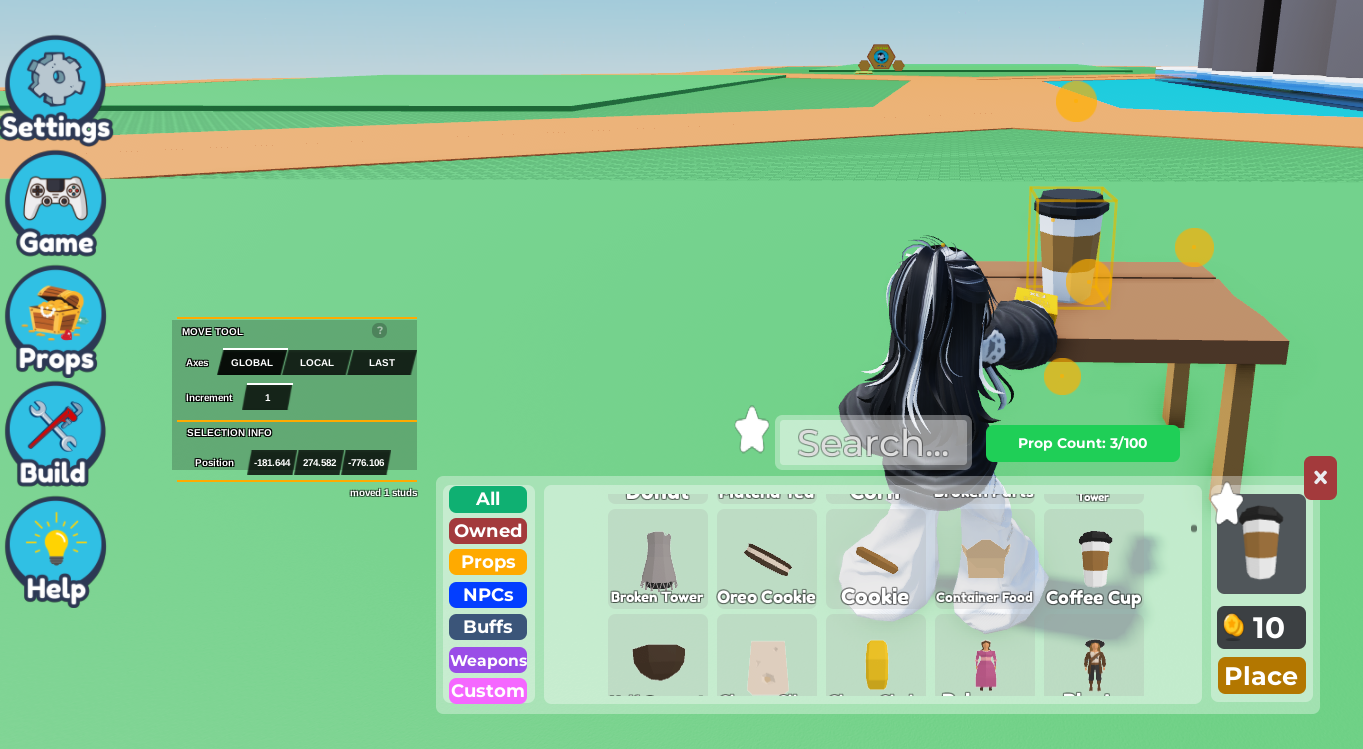
 2. Click on the Object/Part, then go to
 Code Builder .
3. Scroll to the Events Section, and drag in the 'repeat every 5 seconds' button.
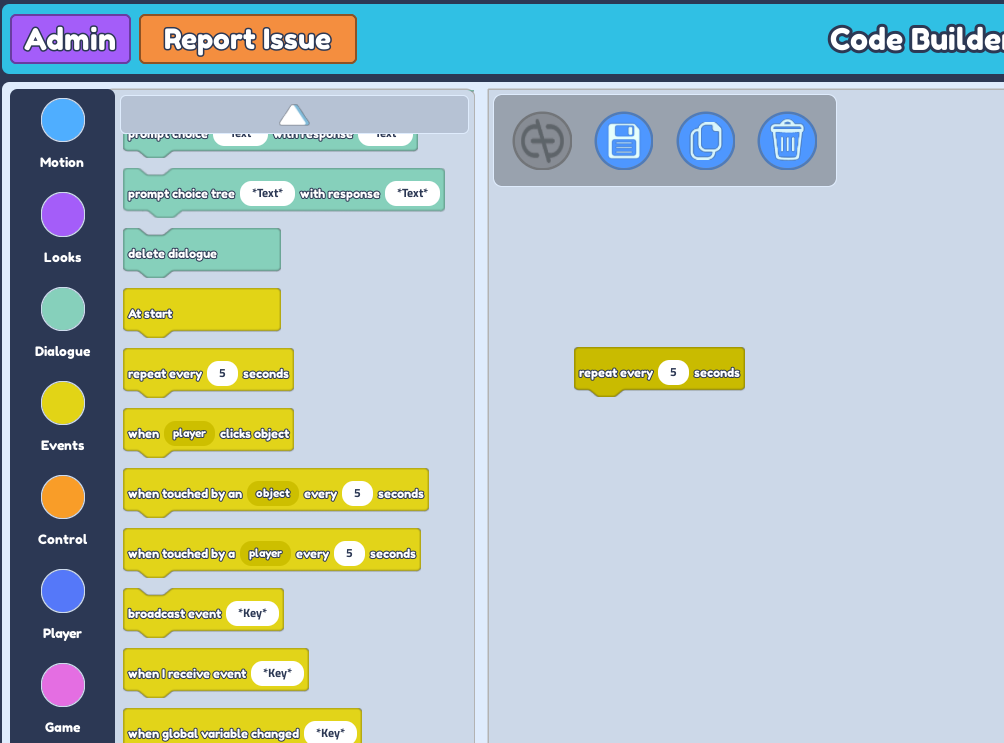 4. You can change the value of seconds to any amount. This allows the object to disappear/appear in the amount of seconds you've put in.
5. Scroll to the
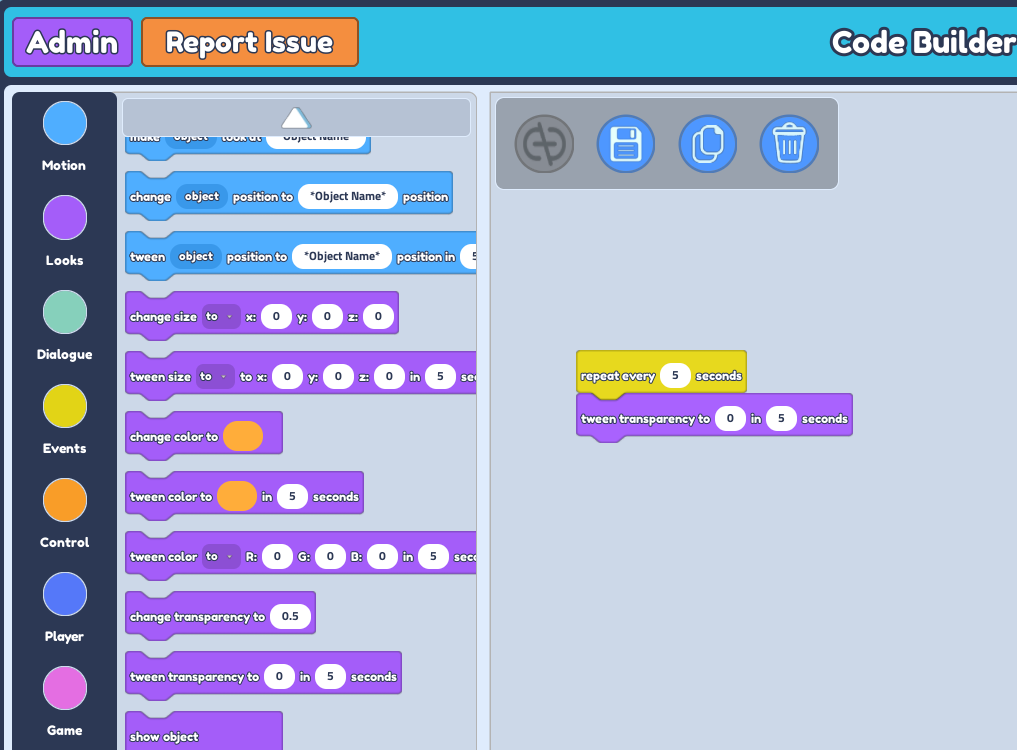
4. You can change the value of seconds to any amount. This allows the object to disappear/appear in the amount of seconds you've put in.
5. Scroll to the Looks Section, and drag in the 'tween transparency to 0 in 5 seconds' button.
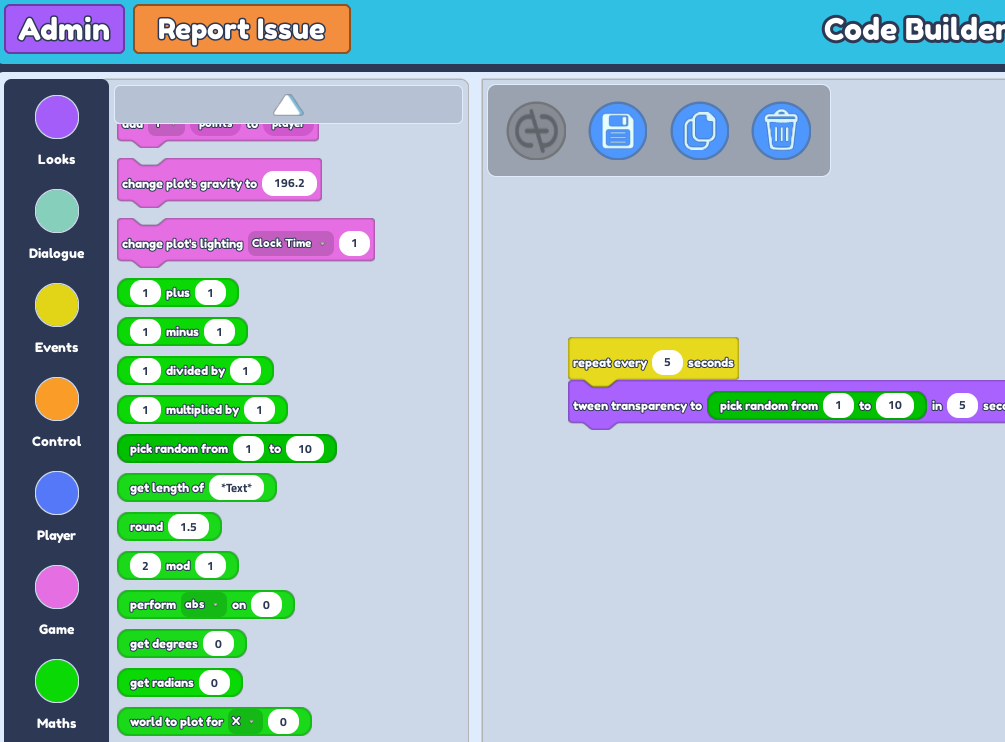
 6. Scroll to the
 Maths Section, and drag in the 'pick random from 1 to 10' button.
 7. Go ahead and change the numbers 'pick random from 1 to 10' button. It's important to note that the value 1 is full transparency.
So fill in the first section with anywhere between the values of 0.1 until 0.9.
8. Feel free to change the value of seconds and adjust it to how quick you want the object's transparency to turn from 0 to 1.
7. Go ahead and change the numbers 'pick random from 1 to 10' button. It's important to note that the value 1 is full transparency.
So fill in the first section with anywhere between the values of 0.1 until 0.9.
8. Feel free to change the value of seconds and adjust it to how quick you want the object's transparency to turn from 0 to 1.