This tutorial is perfect for imitating growing fruits and vegetables. Well, anything that you'd want to expand in size!
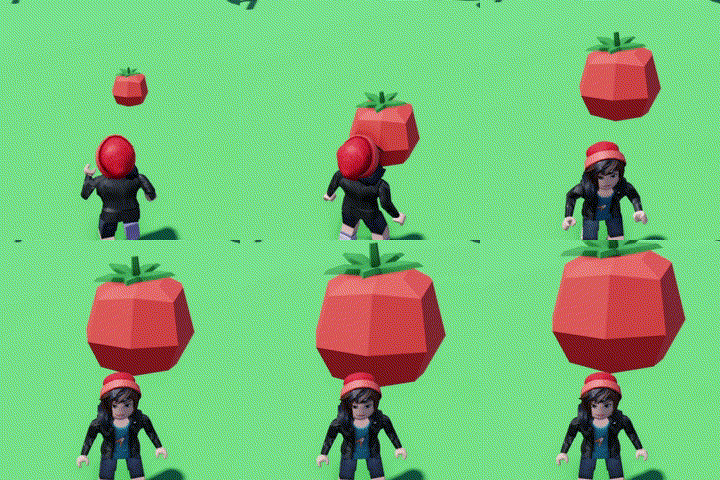
- Open the code builder on your object or shape!
- Locate "When touched by a player" in "Events"

- Then Locate in "Looks" "Tween Size..."and connect this block underneath the other
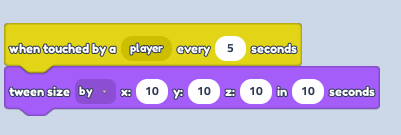
Change Tween Size to "By" and play around with numbers in (X,Y,Z) axis for your best wanted result
- Save the code and enjoy harvesting!