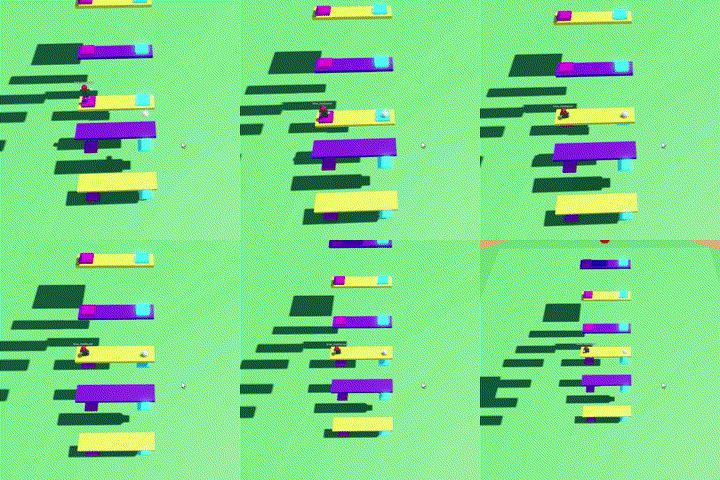
Create a plank and Two buttons like the GIF above
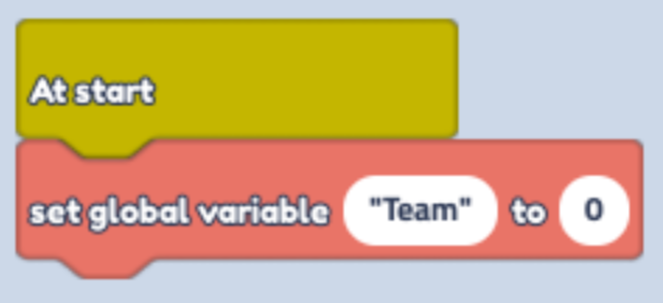
Start with a Plank Code. Find "At Start" in "Events" (Yellow Button)
Connect "Set global Variable" in "Variables" (Red Button) to it.
Change text to "Team" and Value to 0
- Just below place "When touched by a player" in "Events" (Yellow button) change seconds to 60 (How quickly you want the button to reset)
Connect "Set Global Variable" change text to "Team"
Find "1 Plus 1" in Math's (Green Button) and place it in "Value" box
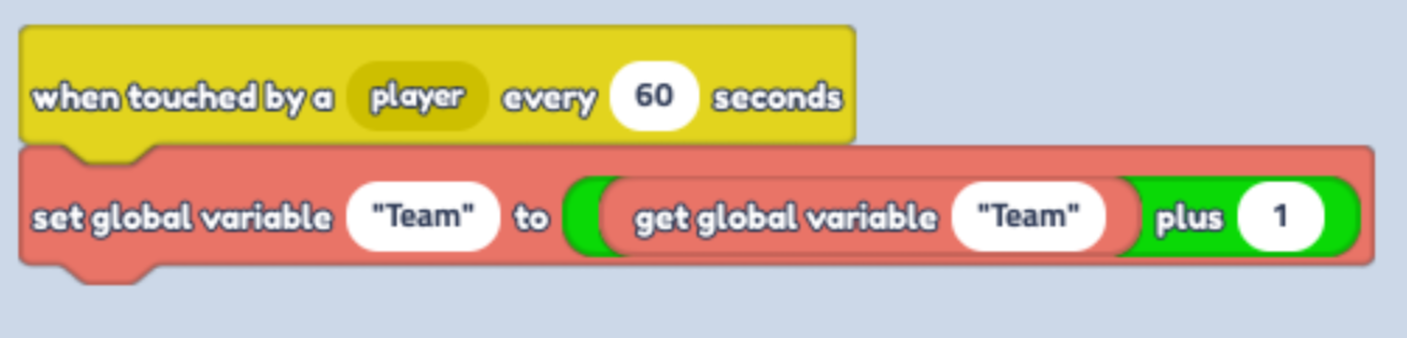
Find "Get global variable" and place it in "1" Math's block. Change text to "Team"
Then Select the "Button" object
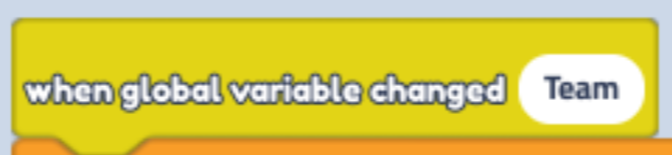
Find "When global variable changed" in "Events" (Yellow Button). Change text to "Team"
- Find "If...equals...then" in "Control" (Orange Button).
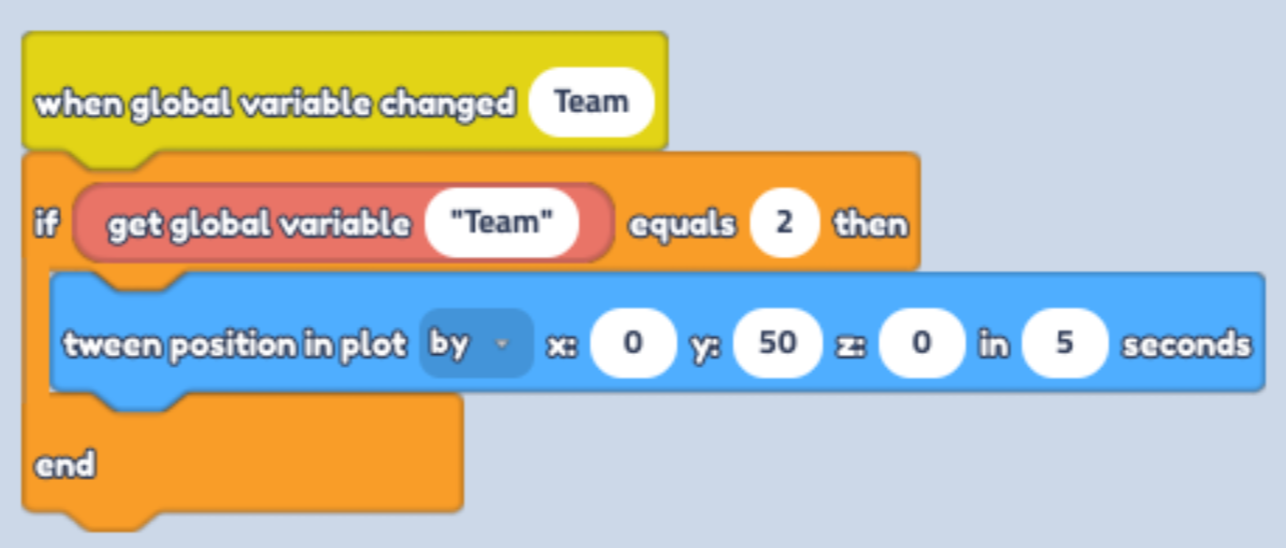
Find "Get global Variable" and place it in between of "if" and "Equals", change text to "Team". Change "Equals" value to 2
Place "Tween position" in "Motion" (Blue Button) inside the Code Block. Change it to "By" in the dropdown menu and Y to 50