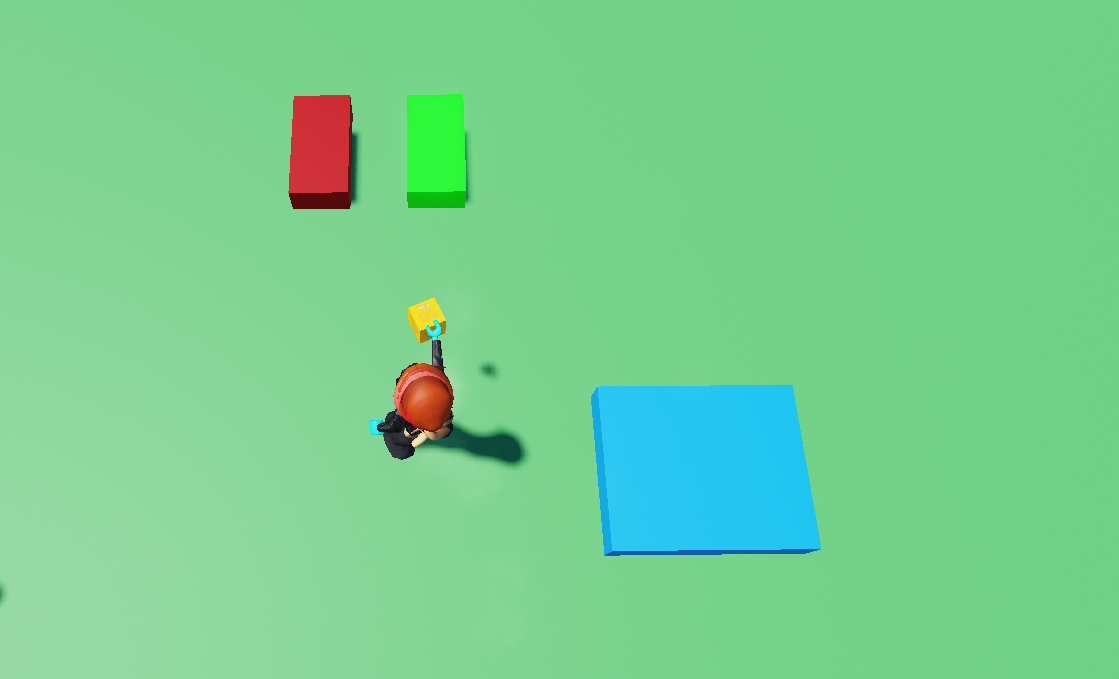
You will need 3 parts for the actual coding part. For this example it will be simple blocks but you can put this in your elevator with up and down buttons. There is an ${color}#019812 button, a ${color}#940000 button, and the ${color}#008fcc platform.
In the ${color}#0b9801 button, open up the code builder and place an
at startblock and abroadcast eventblock from Events. In the key, type your trigger word, in this example its "Clicked".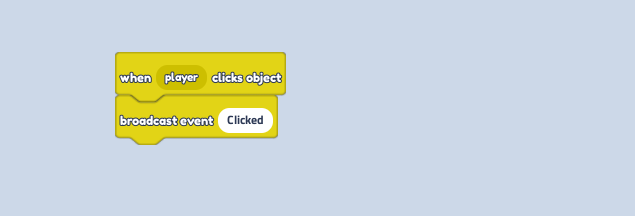
In the ${color}#ad0101 button, open up the code builder and place an
at startblock and abroadcast eventblock from Events. In the key, type your trigger word, in this example its "Down".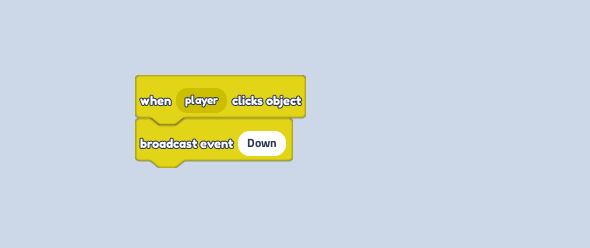
In your ${color}#0099cc platform, open up the code builder and place 2
when I receive eventblocks, with your trigger words in each one. After both, place 2tween object position in plotblocks from Motion. In the Y put a ${color}[#00a814](positive number for Up), and a ${color}[#a80000](negative number for Down.)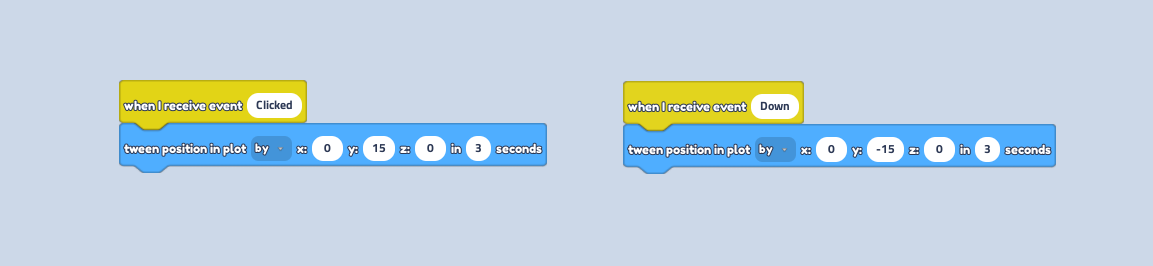
Press play and press the buttons to see your platform go up and down to take you up and down!
How to Code an Elevator with Buttons
Last updated: March 9, 2025
Was this article helpful?
Thanks for your feedback!