This is for when you want to speak back and forth, giving the player options to speak.
Select the NPC you wish to talk to and open up the Code Builder.
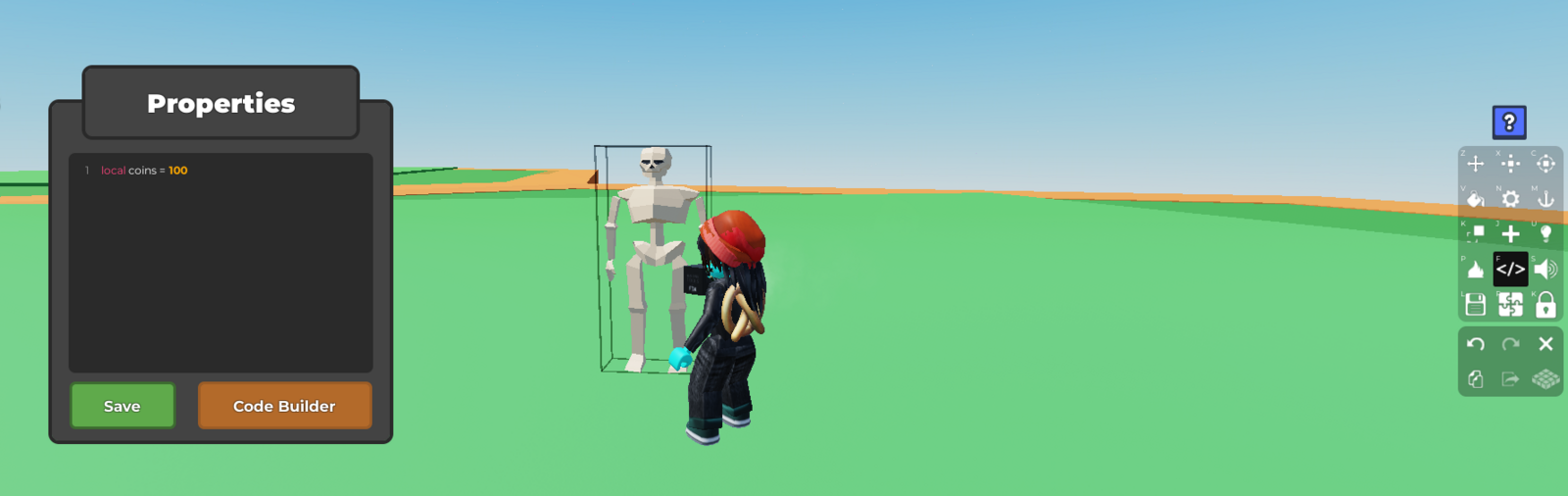
To start the code, from the
EventsSection, place aWhen Player Clicks ObjectUnderneath, from the
Dialoguesection, place aPrompt Dialogue. You may adjust the npc's behavior and purpose using the drop down options.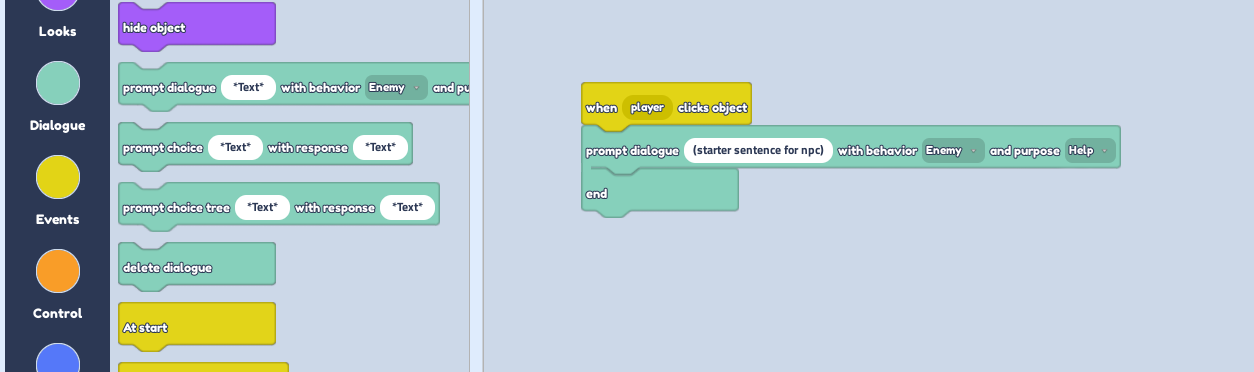
To start a conversation line, pick the
Prompt Choice Treeand place it inside underneath theprompt dialogue, before theEnd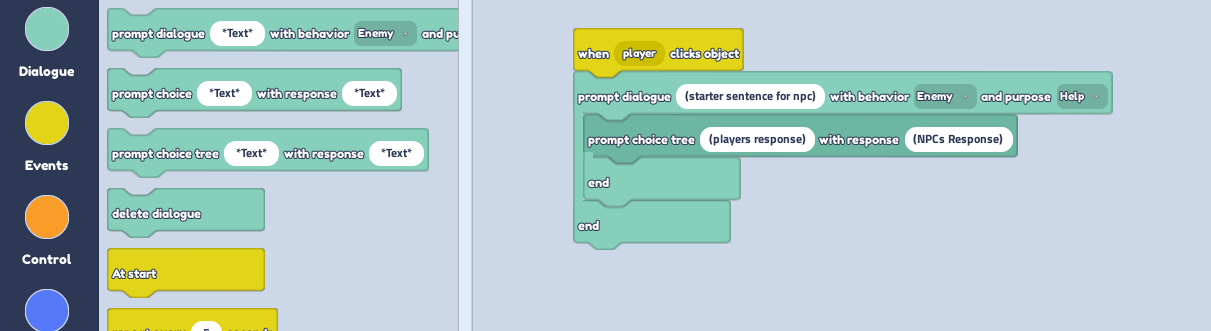
To continue the responses, add another
Prompt Choice Treeinside of the last one. Keep going for however long you want the conversation to last.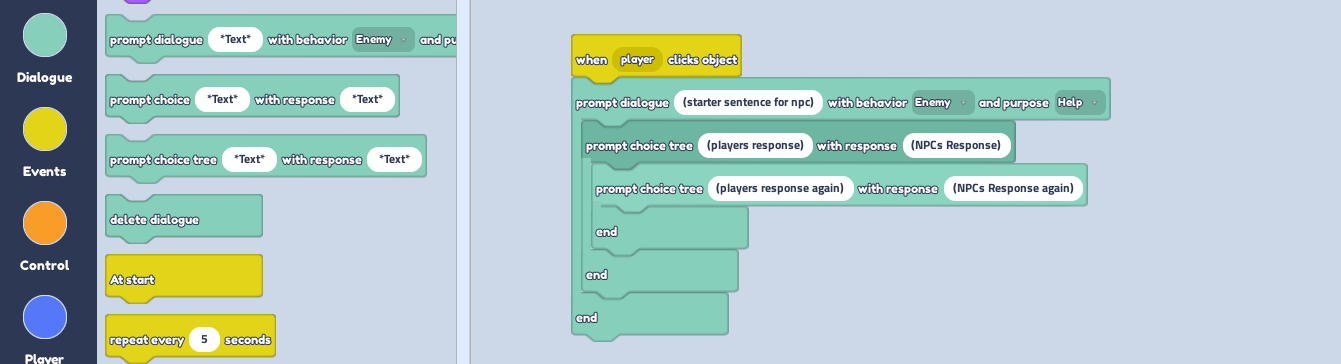
EXTRA! If you want to give the player 2 options to choose from when talking, add
Prompt Choice Treedown at the second last gap.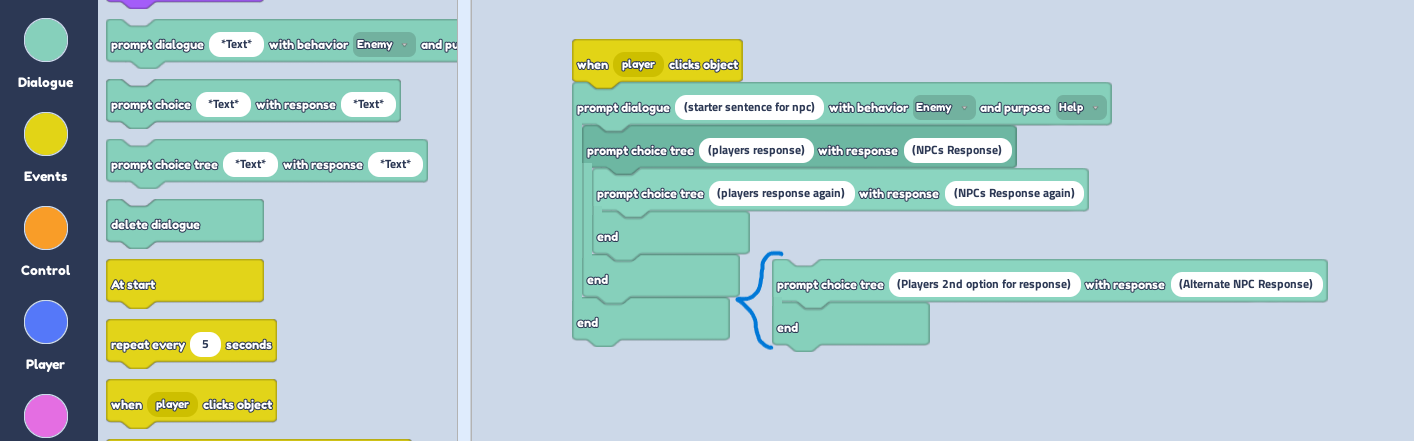
To test the code, play your game and see if you can talk!