Ever wanted to make a flipping platform that players can stand on when 'safe' but drops players when 'dangerous'?
- Let's make a two-sided platform with parts, one 'safe' side and one 'danger' side.
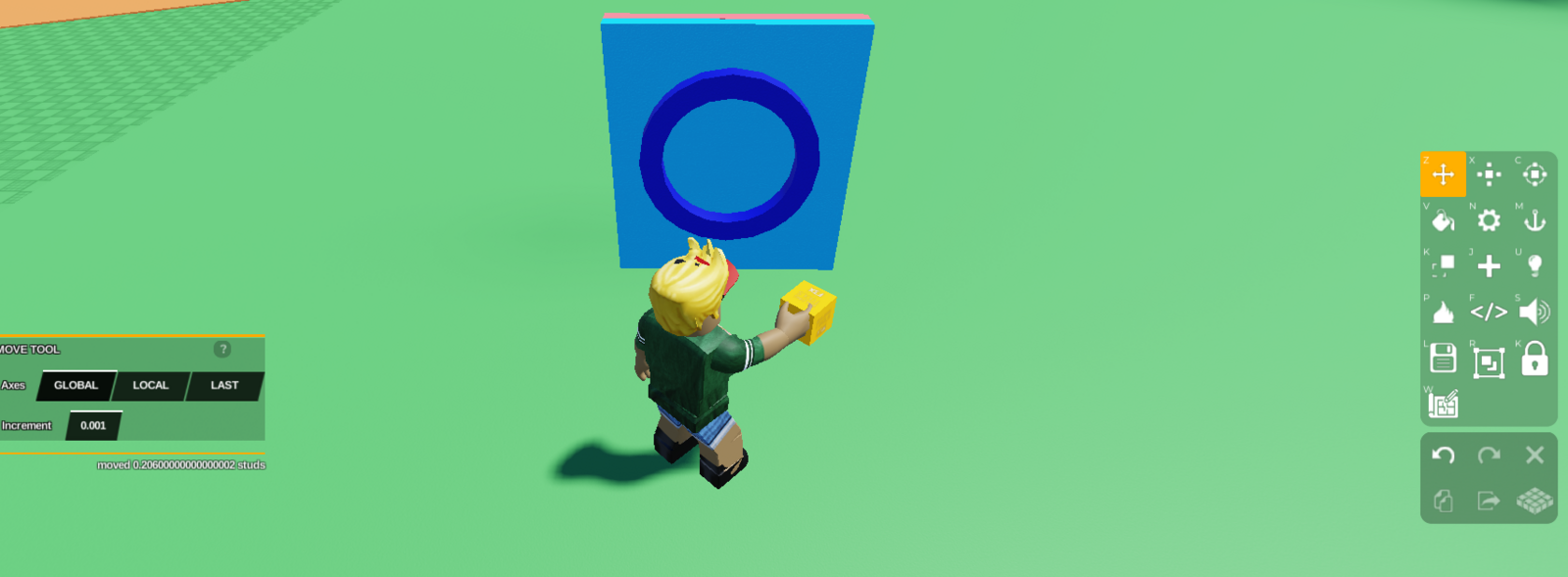
- Select all the parts of the object, and **merge it into one object **using the merge tool on the right toolbar.
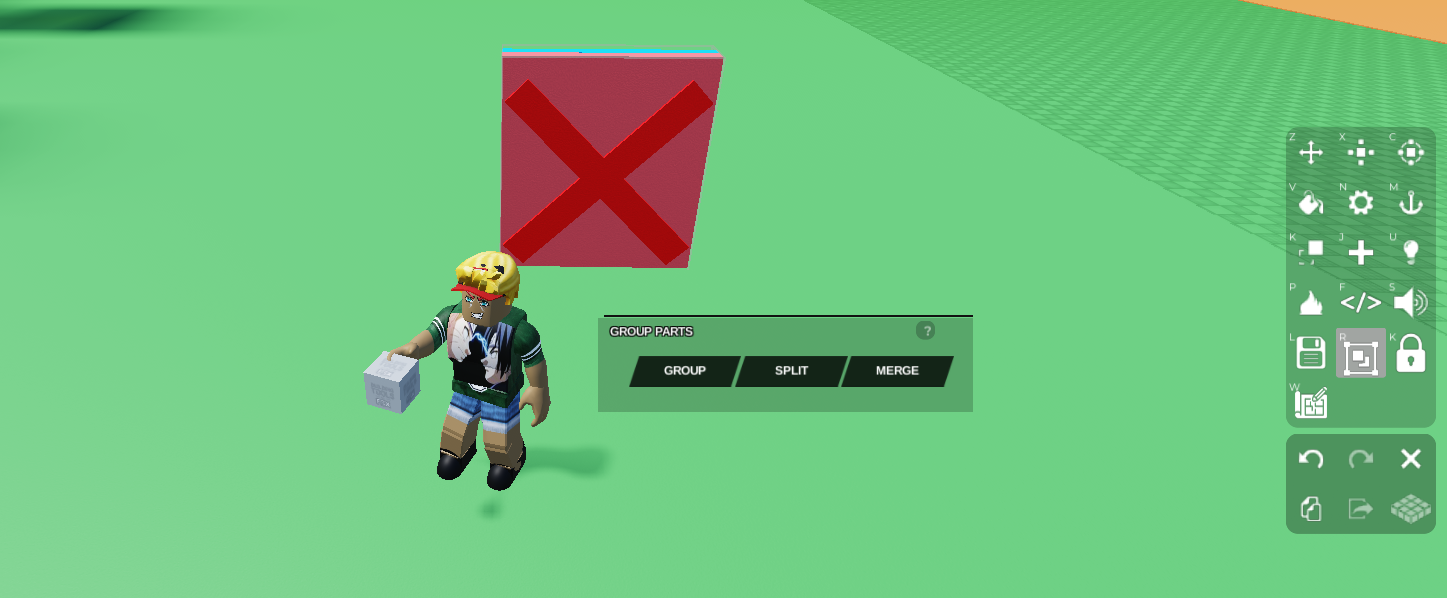
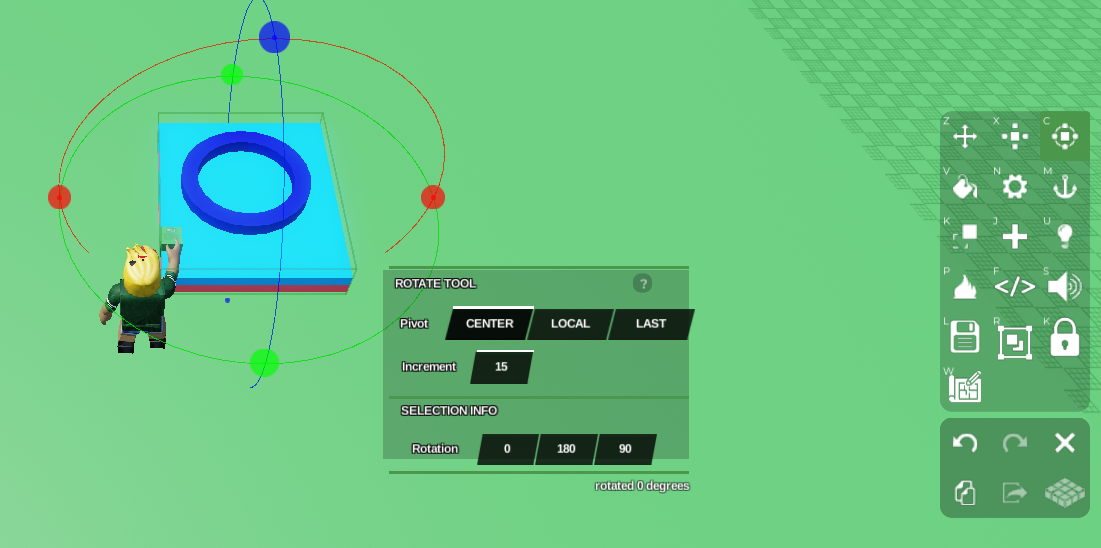
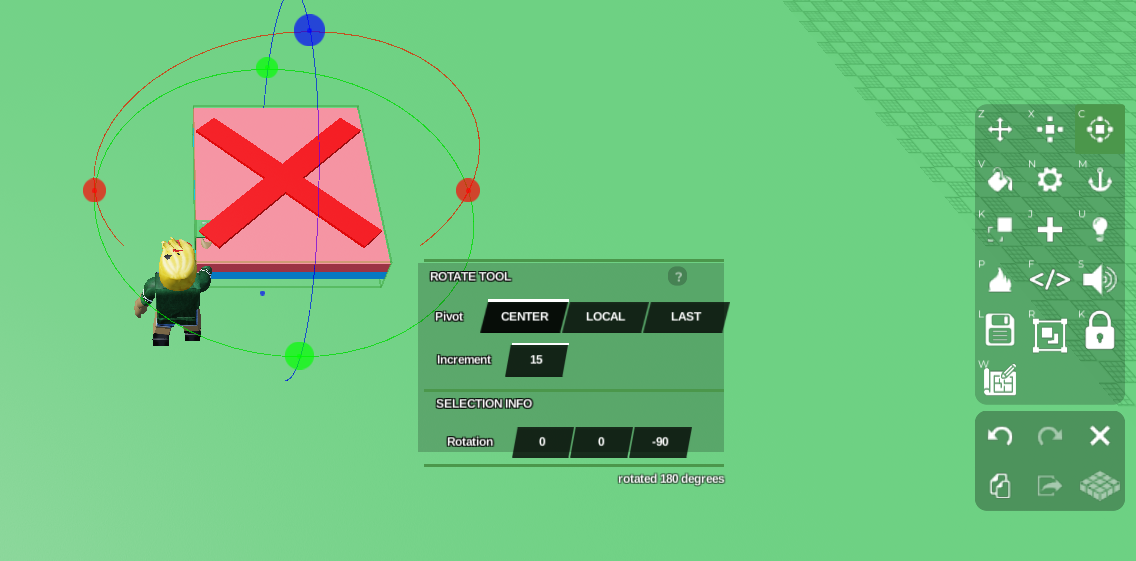
- Rotate this object so it lays horizontally using the rotate tool. Take note of the rotation position values of each side, as we will use this in our code. Ensure the 'safe' side is on top.
Select your object and open up Code Builder by pressing the </> button on the right toolbar.
Once in Code Builder go to 'Events' on the left and grab
at start, and then go to 'Control' and grabdo forever.
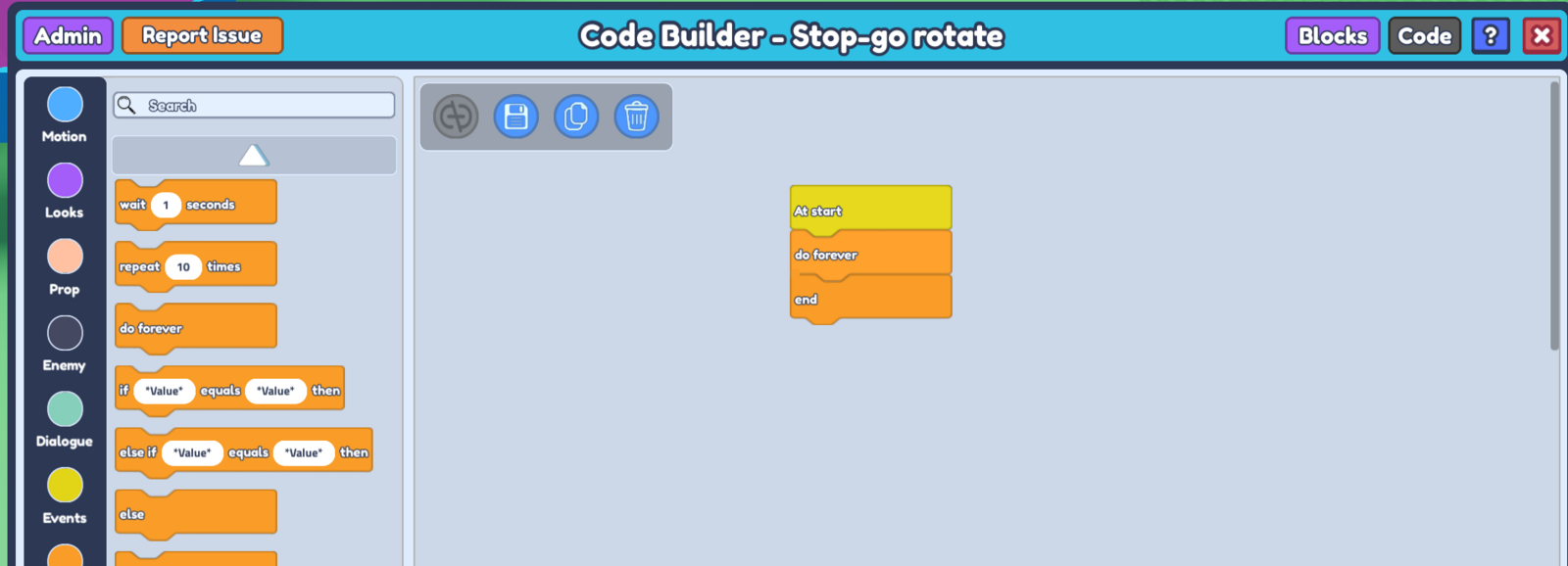
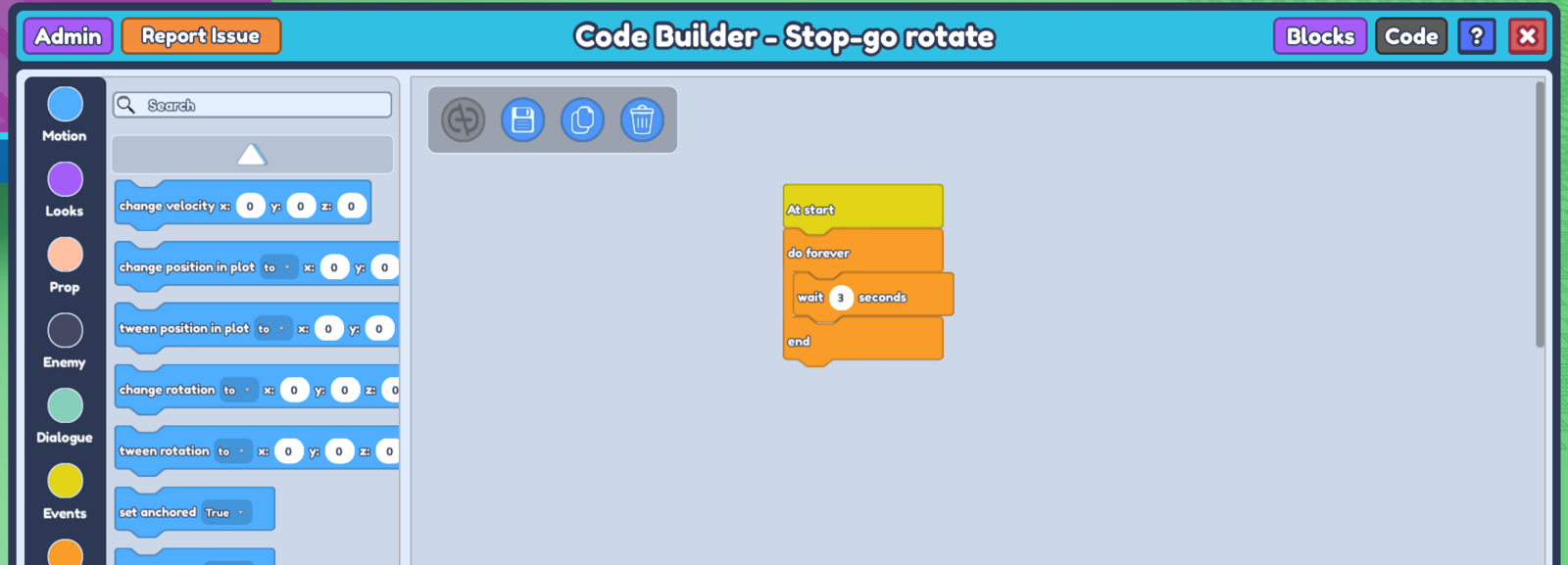
- Grab
wait -- secondsfrom 'Control', put it in between doforeverandend.
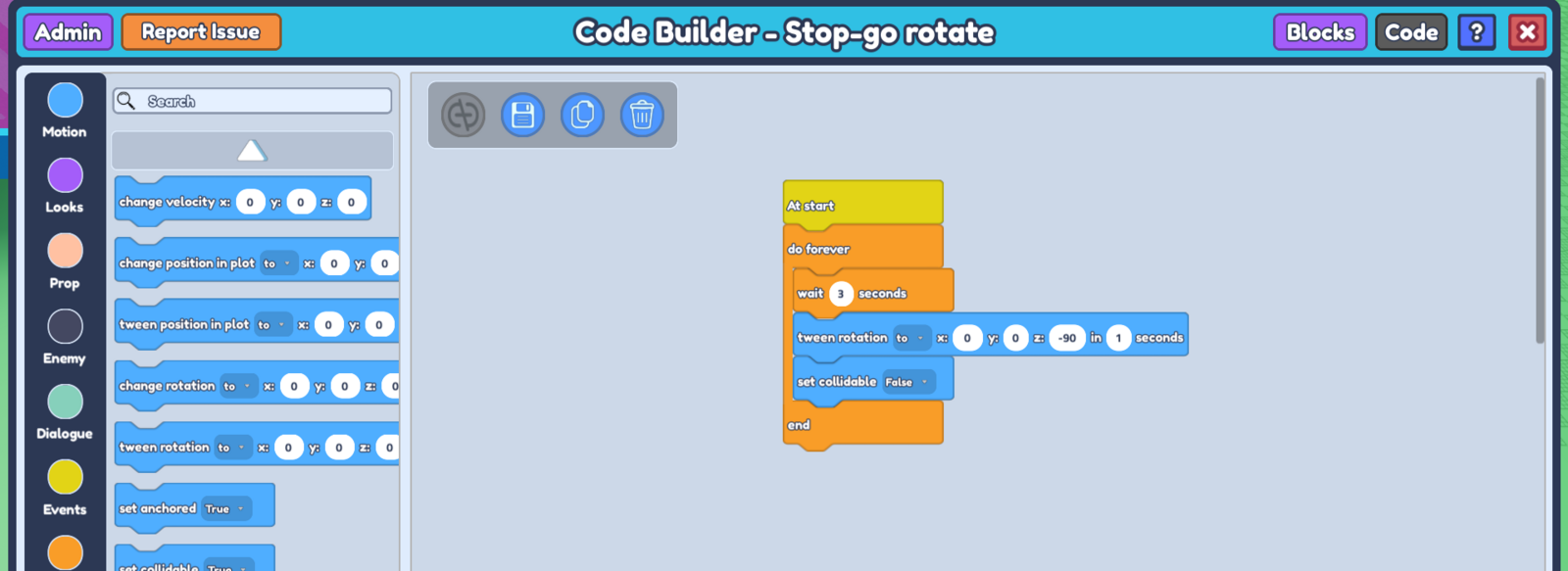
Go to 'Motion' and grab
tween rotation to x : - y : - z : - in -- seconds, place it belowwait -- seconds. Input the position values of your 'danger' side in the x, y, and z.From 'Motion', grab set collidable True, and set it to False.
**Duplicate the 3 blocks inside **
do foreverandendand place it just below your previous 3 blocks.Input the position values of your 'safe' side in the x, y, and z values of your __second __
tween rotation, and set your __second __set collidableto True.
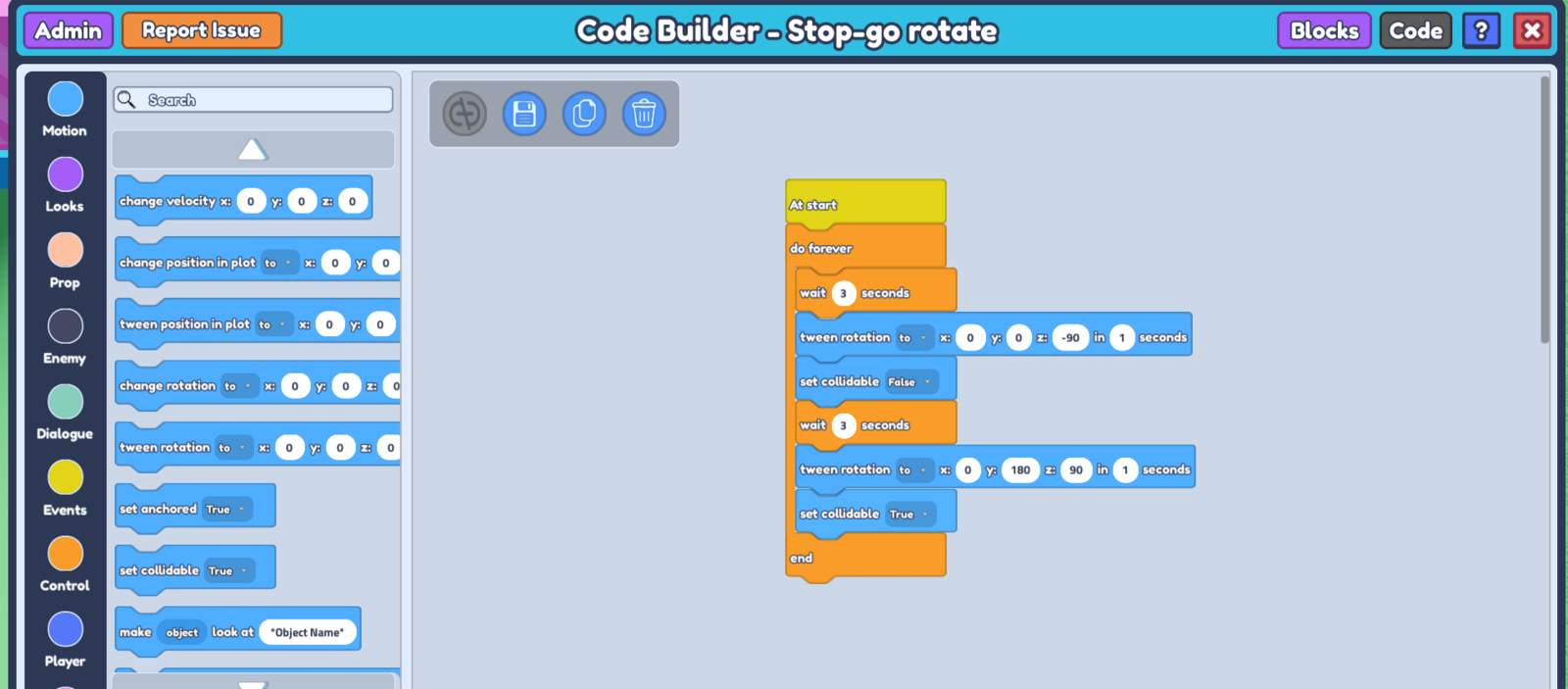 11. Save your code, and when you press 'Play my game' you will see the block flipping over, with the player falling through when it's on the 'danger' side!