- Place a Part/Prop that you want the players to click on.
- Click on the Part that you want to make into a Kill Block. Then go open
Code Builder. - Go to the
EventsSection, then grab the "At Start" block.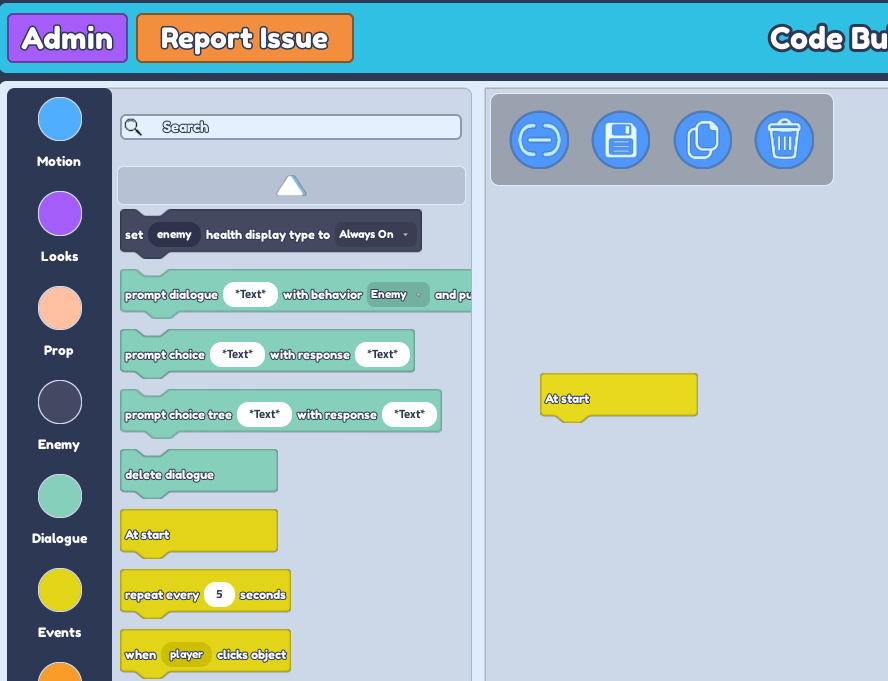
- Go to the
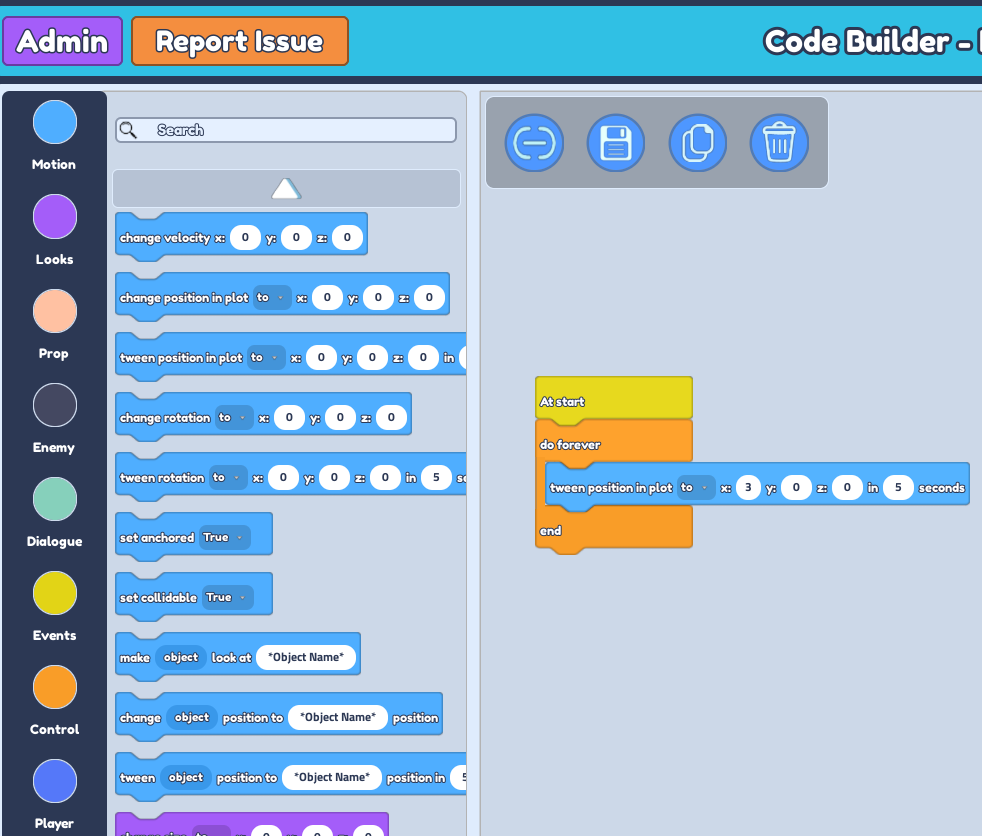
ControlSection then grab the "Do Forever" block and attach it under the "At Start" block to make the movement of the Kill Brick loop. - Go to the
MotionSection, then grab the "Tween position in plot..." block and attach it under the ** "Do Forever" block.** - Click on the drop-down and change the 'to' to** 'by'. **
- Change the value of seconds to how fast you want the block to move.
- Change the value of X/Y/Z to the location you want the block to move.
 9. Go back to the
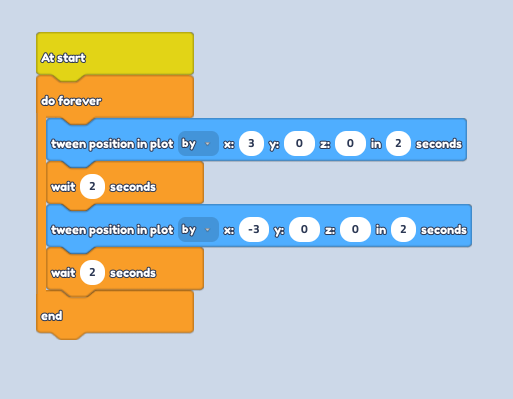
 Control Section and grab the "Wait...Seconds" Block. **
10. Feel free to give any amount of seconds you want. This block is to give the players a bit of a time gap to avoid the Kill Block.
11. Right-click on the ** 'Tween position in plot..." Block and ** "Wait...Seconds" Block** and duplicate both blocks and place it under the first "Wait...Seconds" Block.
12. Change the X/Y/Z as well but make sure to add a negative for the value.
13. The "End" block should be the one on the bottom if your steps are correct (Look at First Block Thread Image for reference)
 14. We'll move on to the Second Block Thread. Go back to the
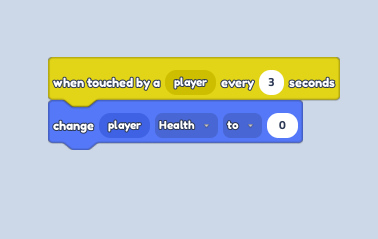
 Events Section and grab the "When touch by a player every...seconds" Block.
15. Change the amount of seconds to 3.
16. Go to the Player Section and grab the **"Change player health to 0" Block. ** Attach this block under the other block. (Look at Second Block Thread Image for reference)
 17. Save everything here and don't forget to playtest your code to make sure the movement of the block is exactly what you want.