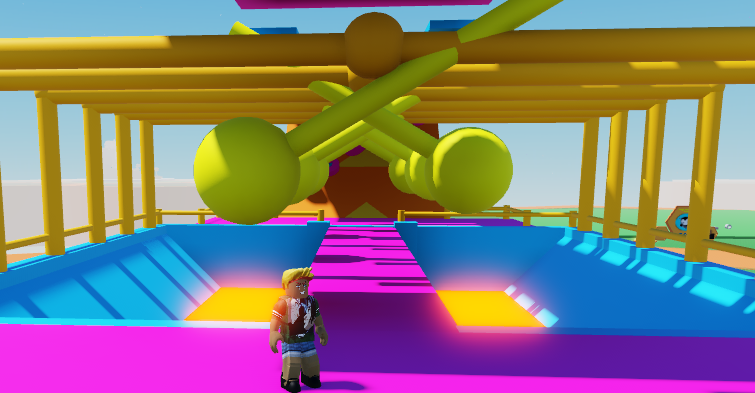
Ever wanted to make an obby that swings side to side, knocking your players away? Then this code is for you!
- Let's make a pendulum model using a Ball and a cylinder. We want to go ahead an select these two parts, and press the merge button from the right toolbar to make them into one object, so we can apply code to it.
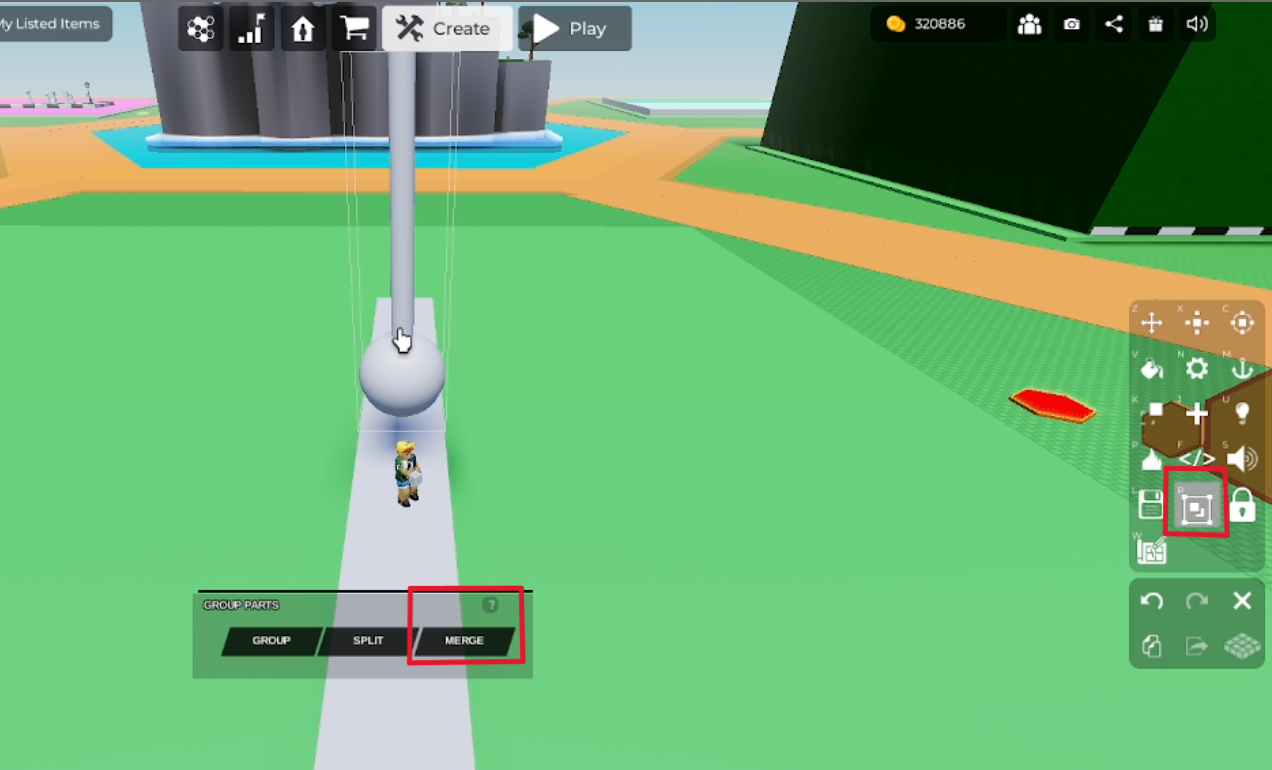 2. Now let's open up Code Builder for your now-merged object by clicking the </> button on the right toolbar, and pressing the 'Code Builder' button. Name your script and object.
- Now go to 'Events' on the left side, and grab the
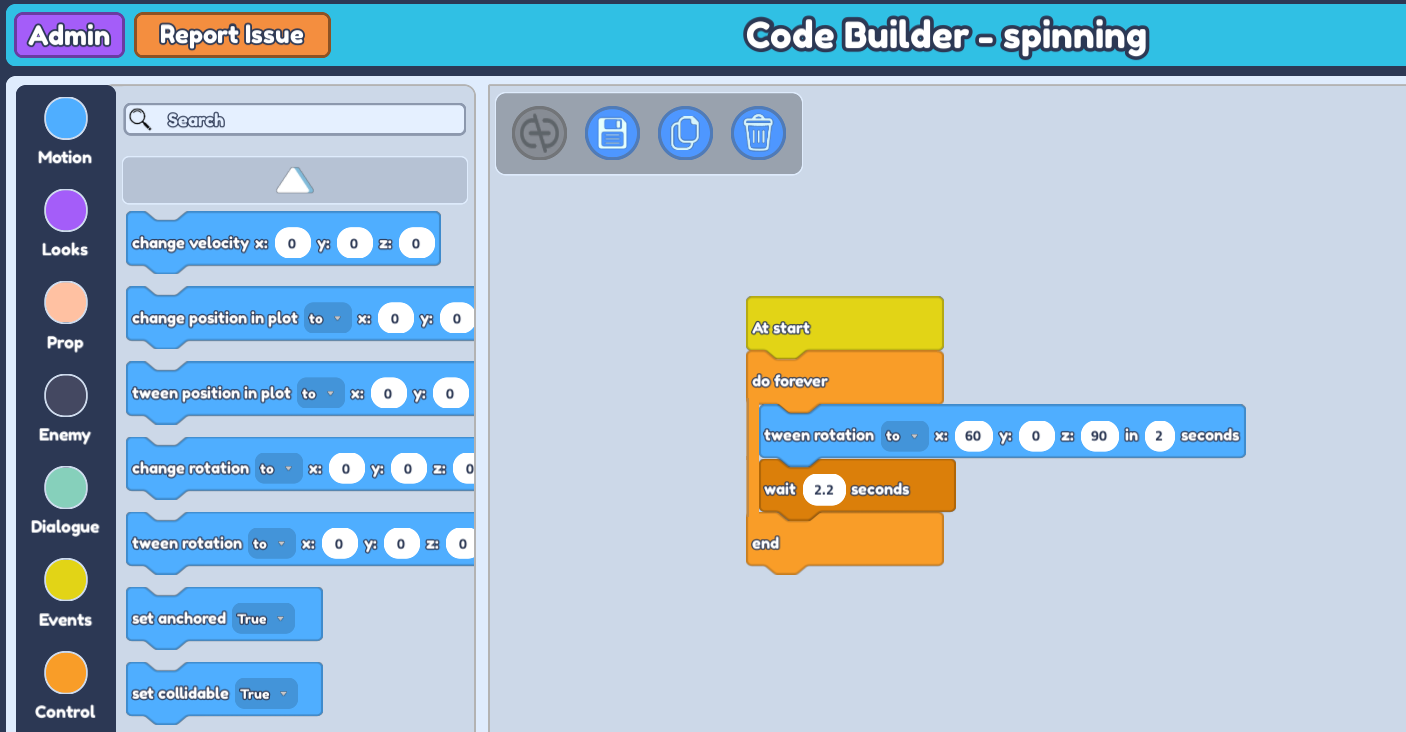
At startblock to play the swings as soon as the game plays. Then go to 'Control' and grab thedo foreverblock (which automatically comes with an 'end' block), and place it belowAt start.
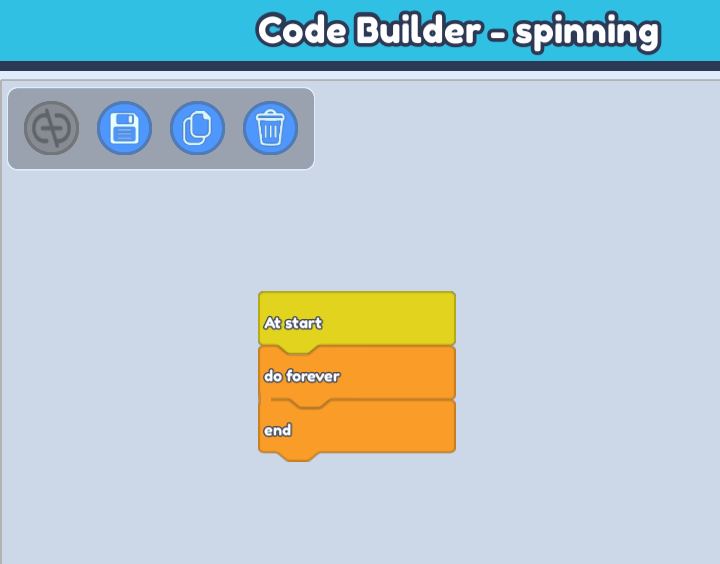
Still in 'Control', grab a
wait -- secondsblock and place it inside doforeverandend. Then, go to 'Motion' on the left side and grabtween rotation to x : 0 y : 0 z : 0 in -- seconds. This block will animate and control the swing of your object. Place it in between doforeverandend, abovewait -- seconds.Since we're rotating to certain coordinates, we want to get the correct rotation coordinates. So go to your plot and check the rotation axis of your pendulum by selecting your pendulum and rotating it to the amount you want for it to be at its full swing.
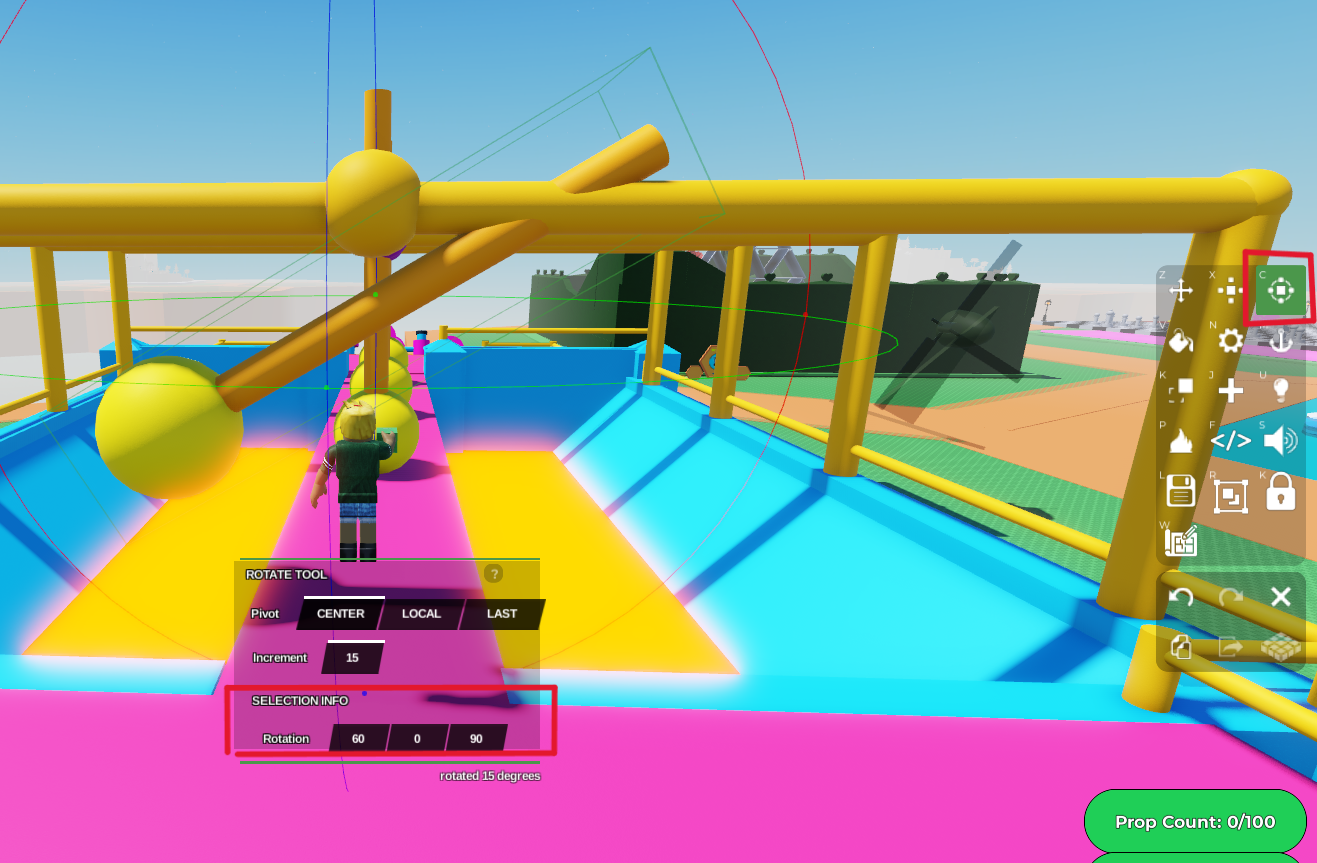
- Now let's go back to Code Builder and input these coordinates in our
tween rotationblock. I want them to swing quite fast, so let's set the duration within 2 seconds. We'll also setwait -- secondsby slightly more than 2 seconds. (the wait -- seconds provides a delay before running the next code. We want to ensure our pendulum reaches its maximum swing but also for the delay to not be too long, so set it to just above 2 seconds.)
- Now we want the pendulum to swing to the opposite direction. So duplicate your
tween rotationblock andwait -- secondsblock and place it just below the original two, still insidedo foreverandend. The pendulum was rotating on the x axis, so we want to change the secondtween rotation's x value to -60 so it goes to the opposite direction.
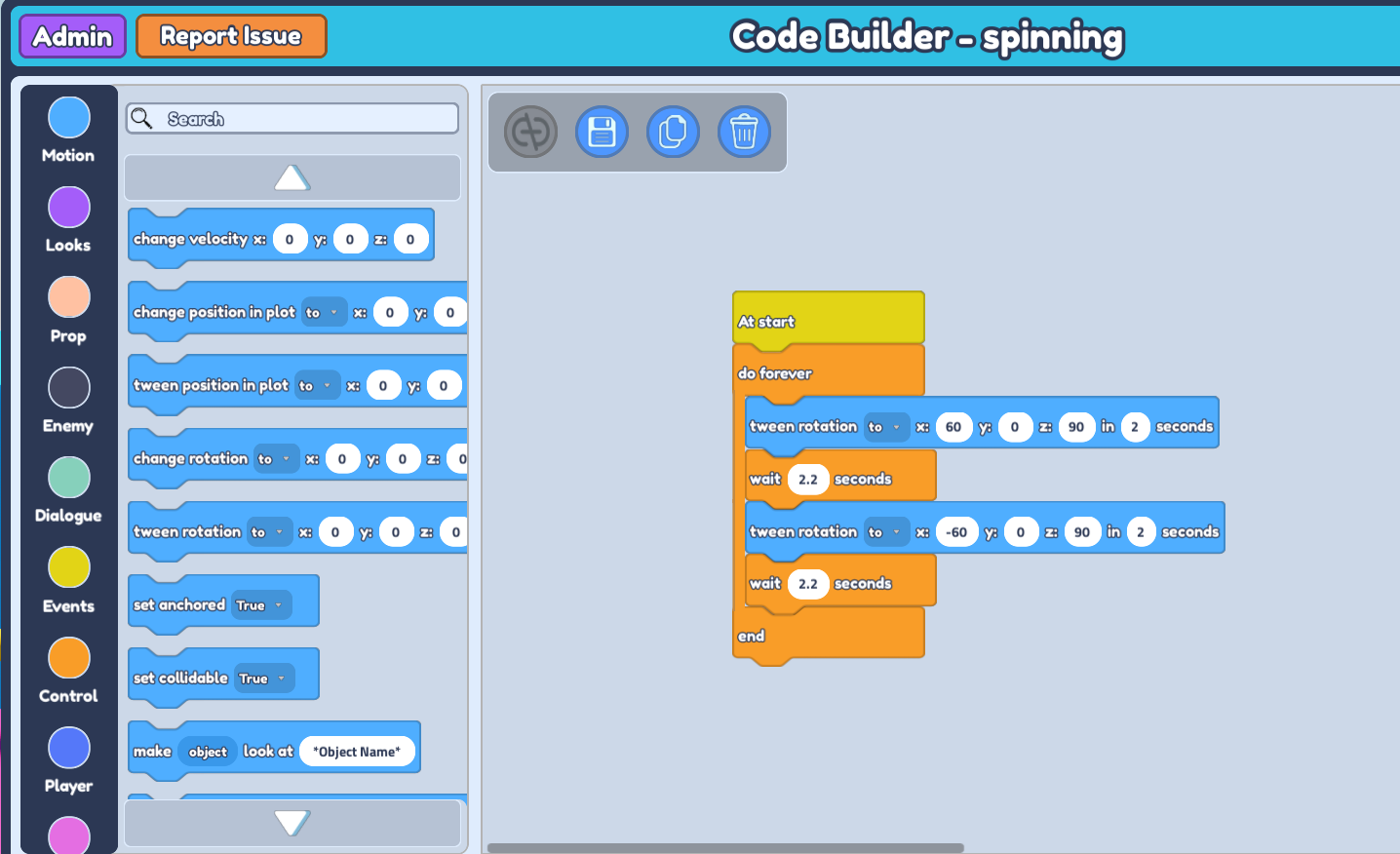
- Don't forget to save your code, and when you press 'play', you should see your pendulum swinging side to side!
- Duplicate your first pendulum, then open the Code Builder of your duplicated pendulum. Click the unlink button.

- Then inverse the values in your tween rotation blocks. So in this case your first one would be x : -60, while your next block will be x : 60.
- Save your code and see your pendulums swinging in opposite directions when you press play!