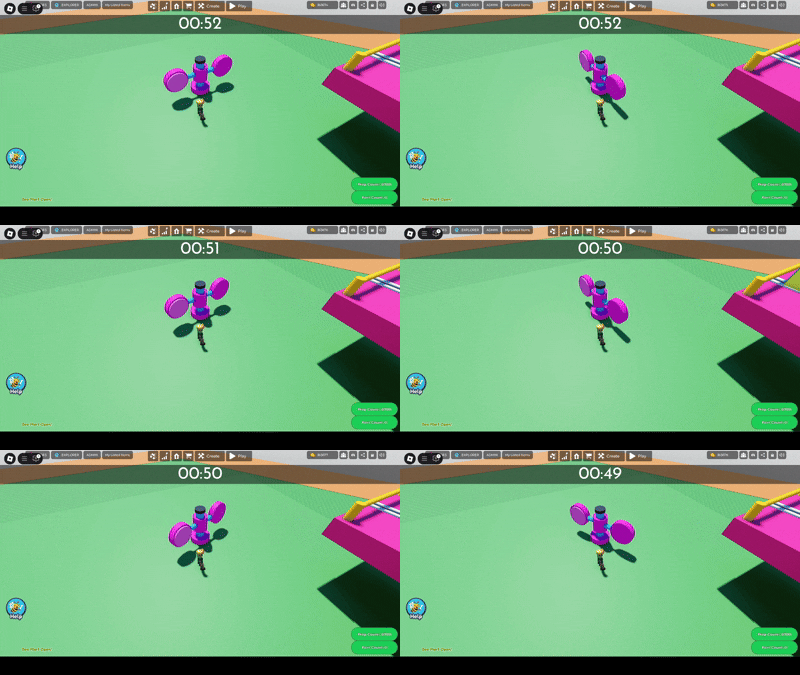
Want to make an obstacle that rotates and knocks players away? Then this code is for you!
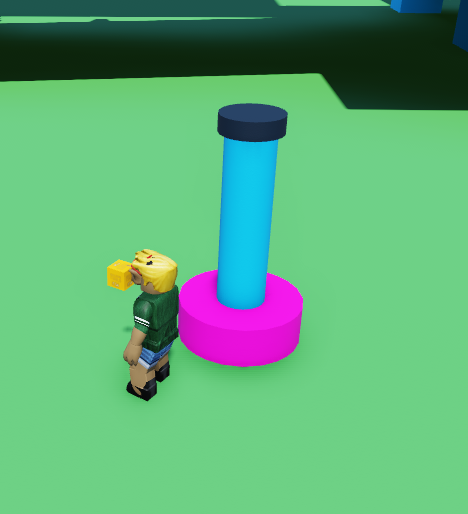
- First, let's make a pole using a cylinder. You can make this pole however decorative you like!
- Now let's make the circles that will rotate and knock players away. To do this, grab a cylinder and flatten it and rotate it to face the player, and have another cylinder connecting it to the pole. Place that on one side of the pole.
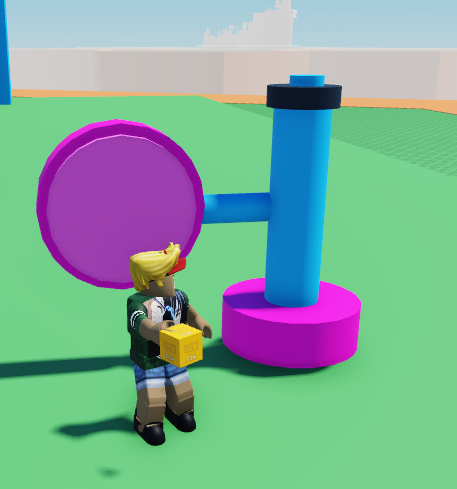 3. Now duplicate that circle, rotate it by 180 degrees and put it on the opposite side of the pole.
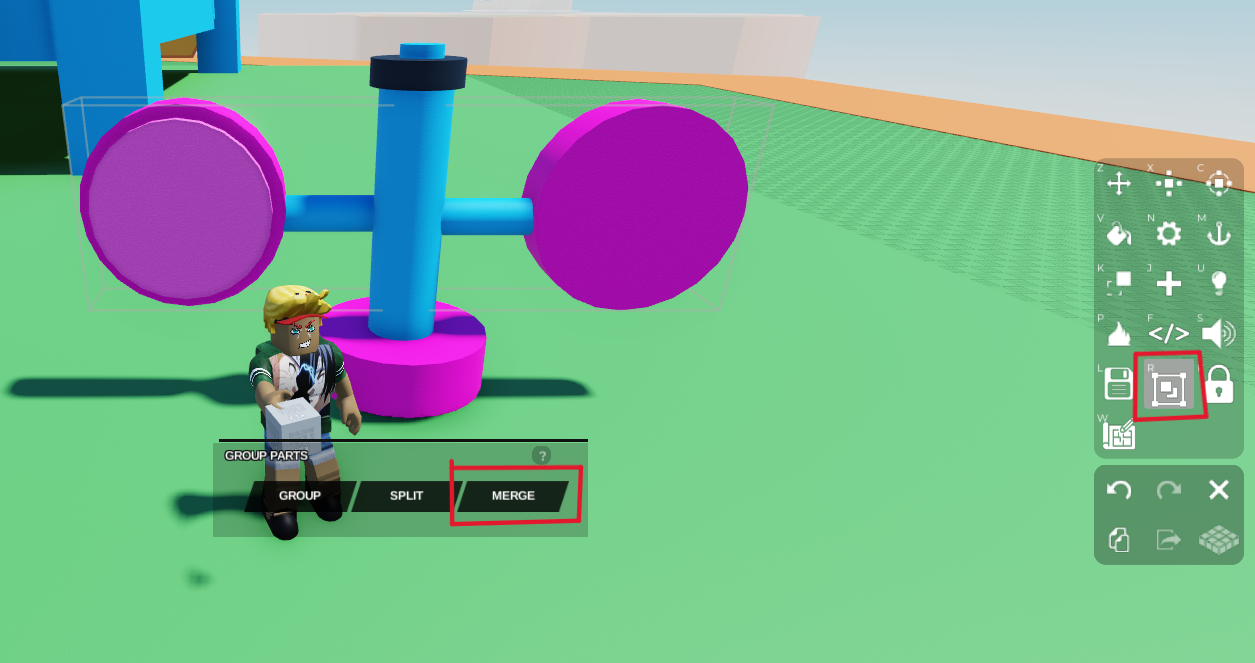
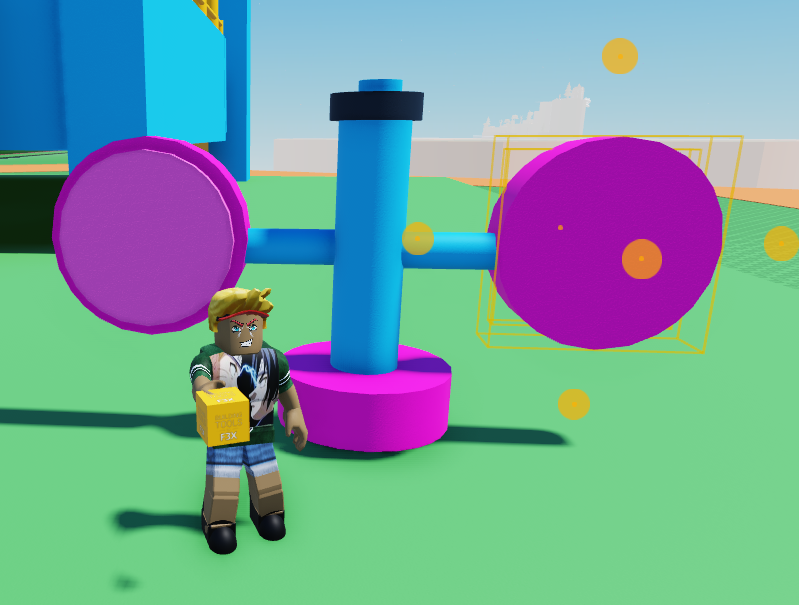 4. Now ** select both circles and the cylinders connecting it to the pole and merge them** by clicking the merge tool on the right toolbar. DO NOT select the pole itself, we are only merging the circles they will be rotating around the pole.
 *For reference, this is what the merged object is supposed to look like. *
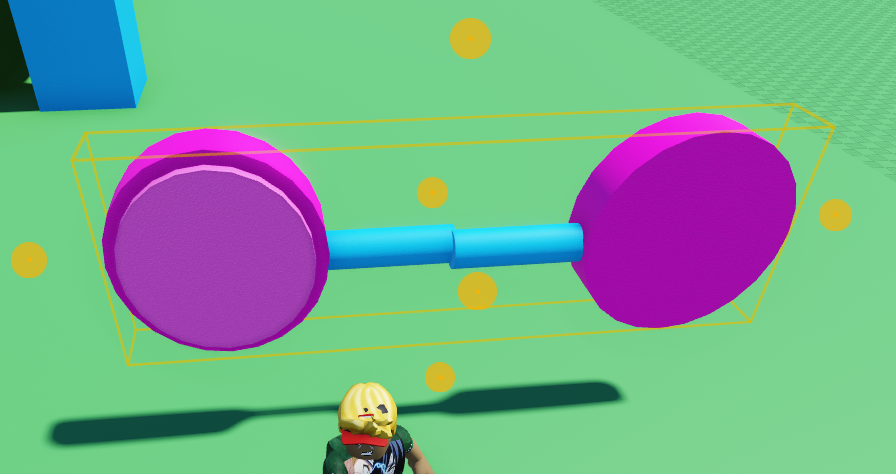 5. Now select our merged object and go to Code Builder by clicking the </> button on the right toolbar and pressing the 'Code Builder' button. Name your script and code.
Go to 'Events' on the left and grab the
At startblock so your objects will start rotating as soon as you press play. Then go to 'Control' and grab thedo foreverblock and await for -- secondsblock. Place these blocks below yourAt startblock. Place yourwait -- secondsblock in betweendo foreverandend.Now go to 'Motion' and grab the
tween rotation to x : 0 y : 0 z : 0 in -- secondsblock. Change thetween rotationblock's 'to' to 'by' in order to rotate the object by a certain amount instead of to a certain location. Place this block in betweendo foreverandend, just abovewait -- seconds.
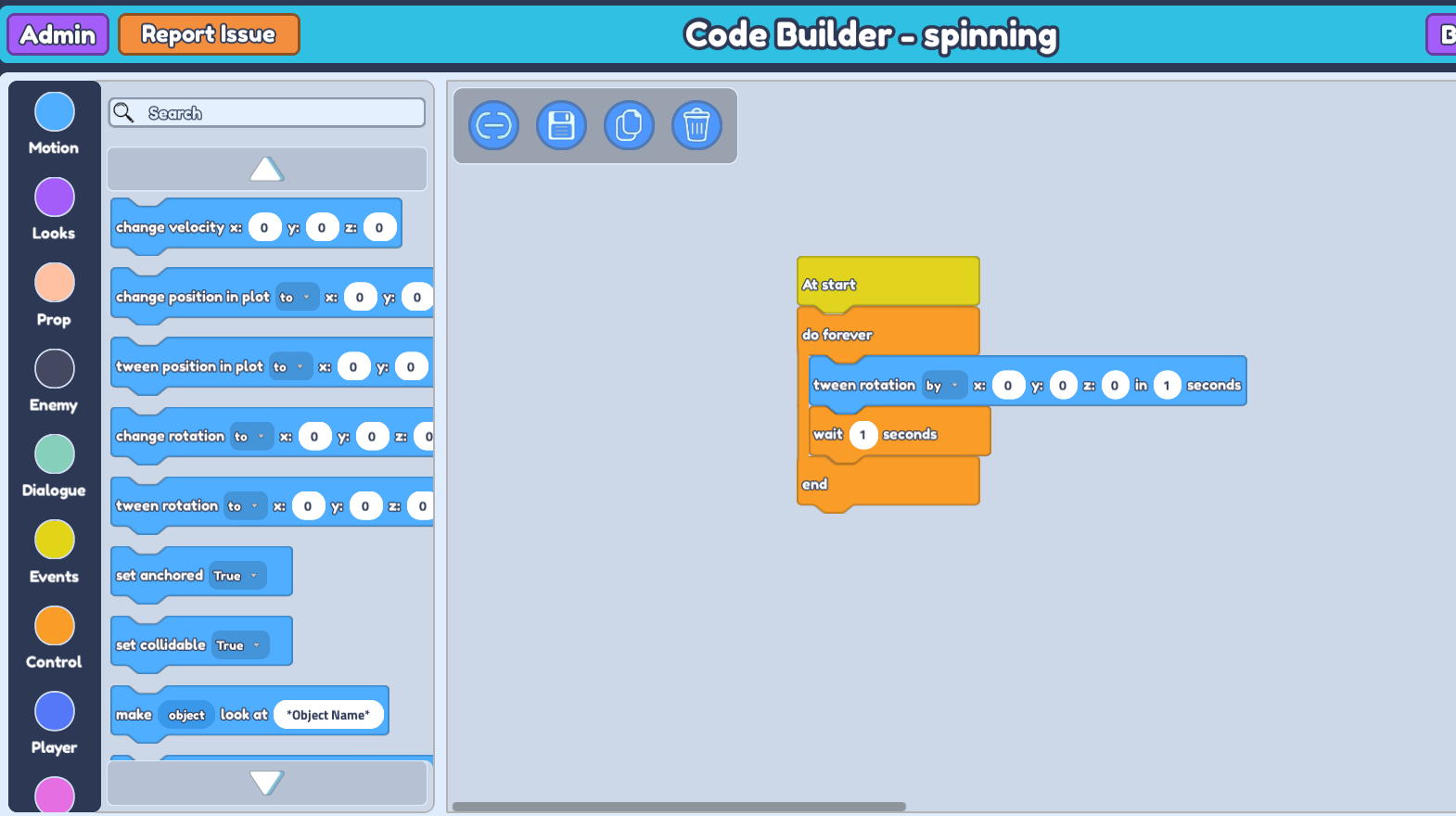
We want to rotate the object horizontally, so double-check the object's rotation direction by rotating the object in the plot and checking which axis it is rotating on. HOWEVER this is not always accurate as the rotation axis could change due to merging multiple parts. To be safe, input an amount in each axis one at a time and press 'play my game' to see which direction it rotates on. In this case, the z axis rotates it horizontally.
I want the object to rotate quite fast, so I'll rotate it by 90 degrees on the z axis within 1 second. In your
wait -- secondsblock, input an amount less than 1 second so the delay will not be noticeable. I'll input 0.5 seconds in this case. * (adding a wait -- seconds block in your do forever loop ensures that there's a proper sequence to your code, so it knows which code to run first to avoid issues)*
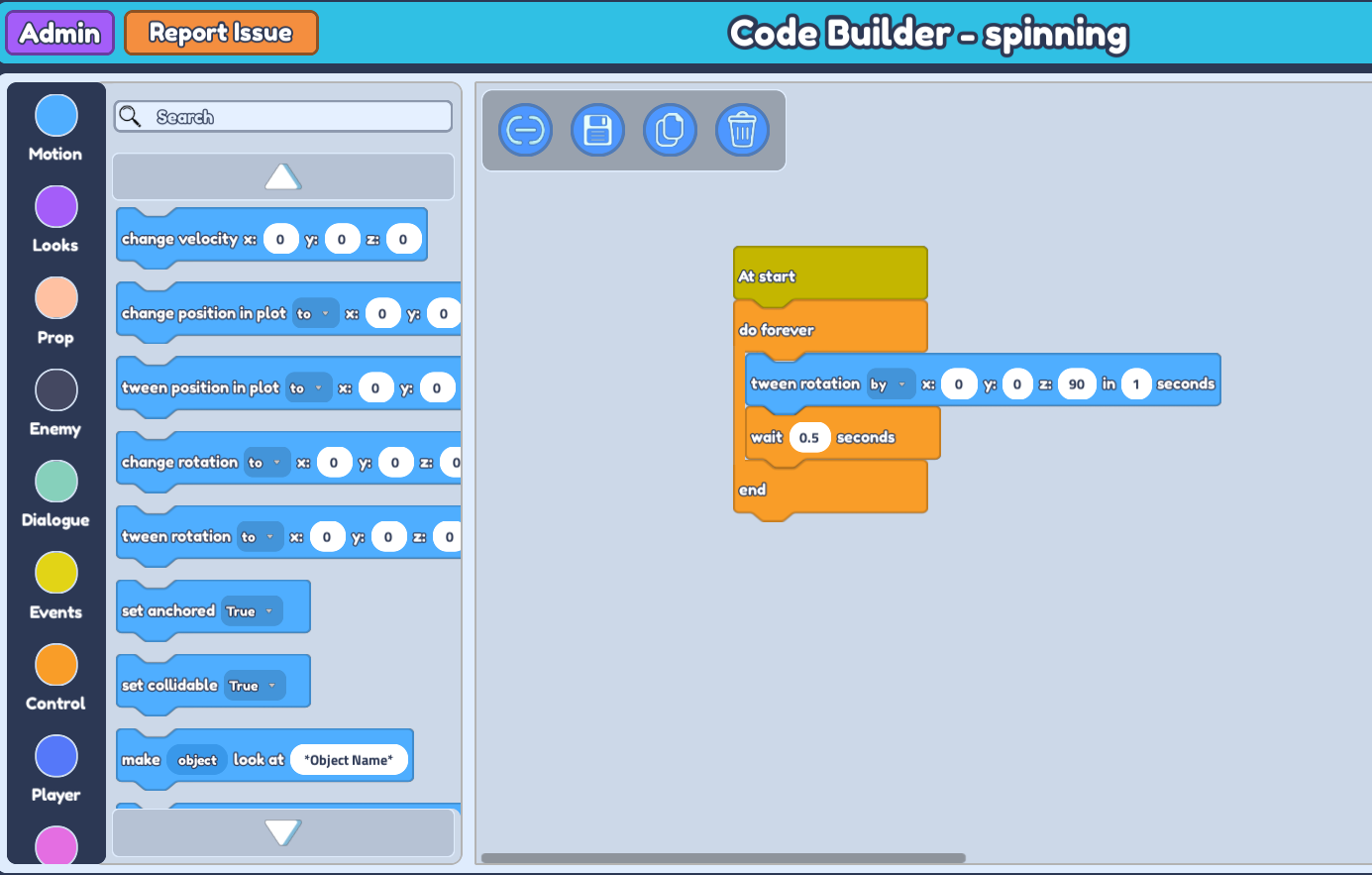 10. Don't forget to save your code, and you should see your object rotating around the pole like so!