- Go to Build, and create new parts to make a the seesaw
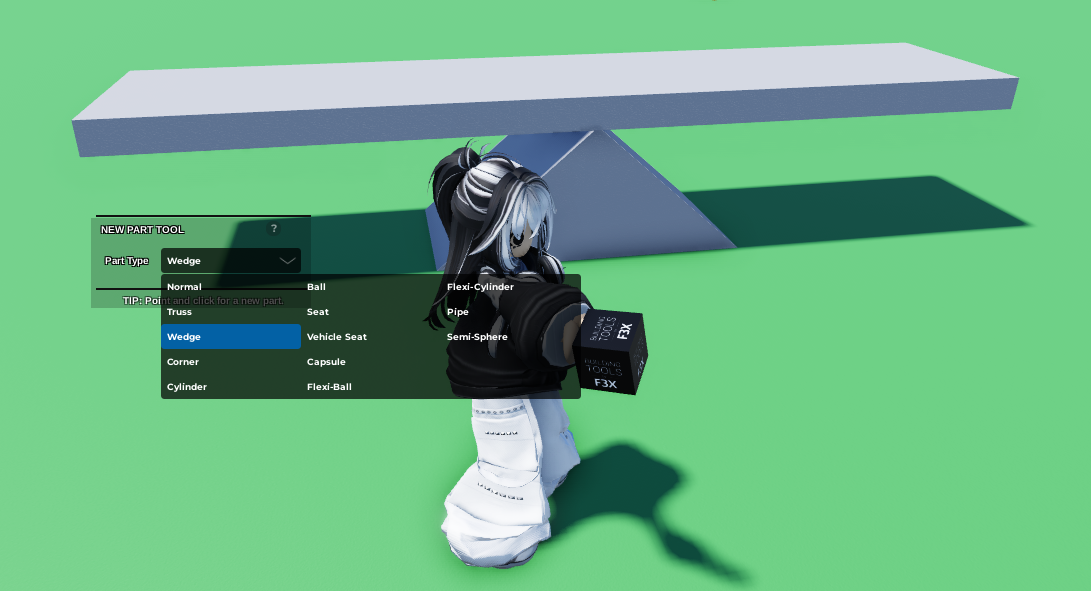 2. Click on the normal and open
 Code Builder
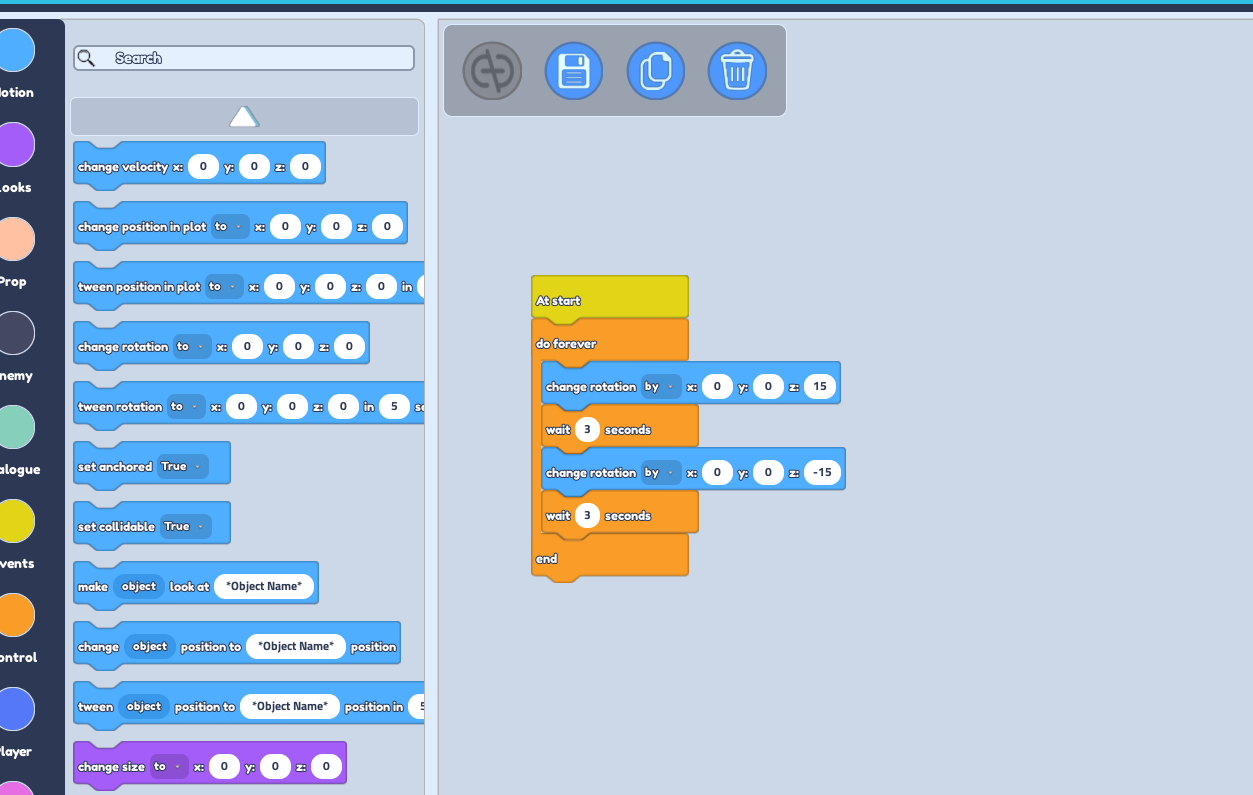
3. Go to the Events Section and grab the "At Start" button.
4. Go to the Control Section and grab the "Do Forever" button. | From this point on, all the code blocks will be placed within the "Do Forever" button. NOT under it.
5. Go to the Motion Section and grab the "Change rotation to ..." button
6. Change the amount of Z to 15.
7. Click on the drop-down and change the "to" to "by"
8. Go to the Control Section and grab the "Wait ... " block.
9. Change the seconds into the how fast you want the seesaw to move
10. Duplicate the "Change rotation to ... " and the "Wait ..." block
11. Change the second "Change rotation to ..." block to -15. | Check the reference image below for the correct code block placements