- Go to Build and make a new part tool Cylinder.
- Resize the Cylinder for however long you want the Cylinder to be.
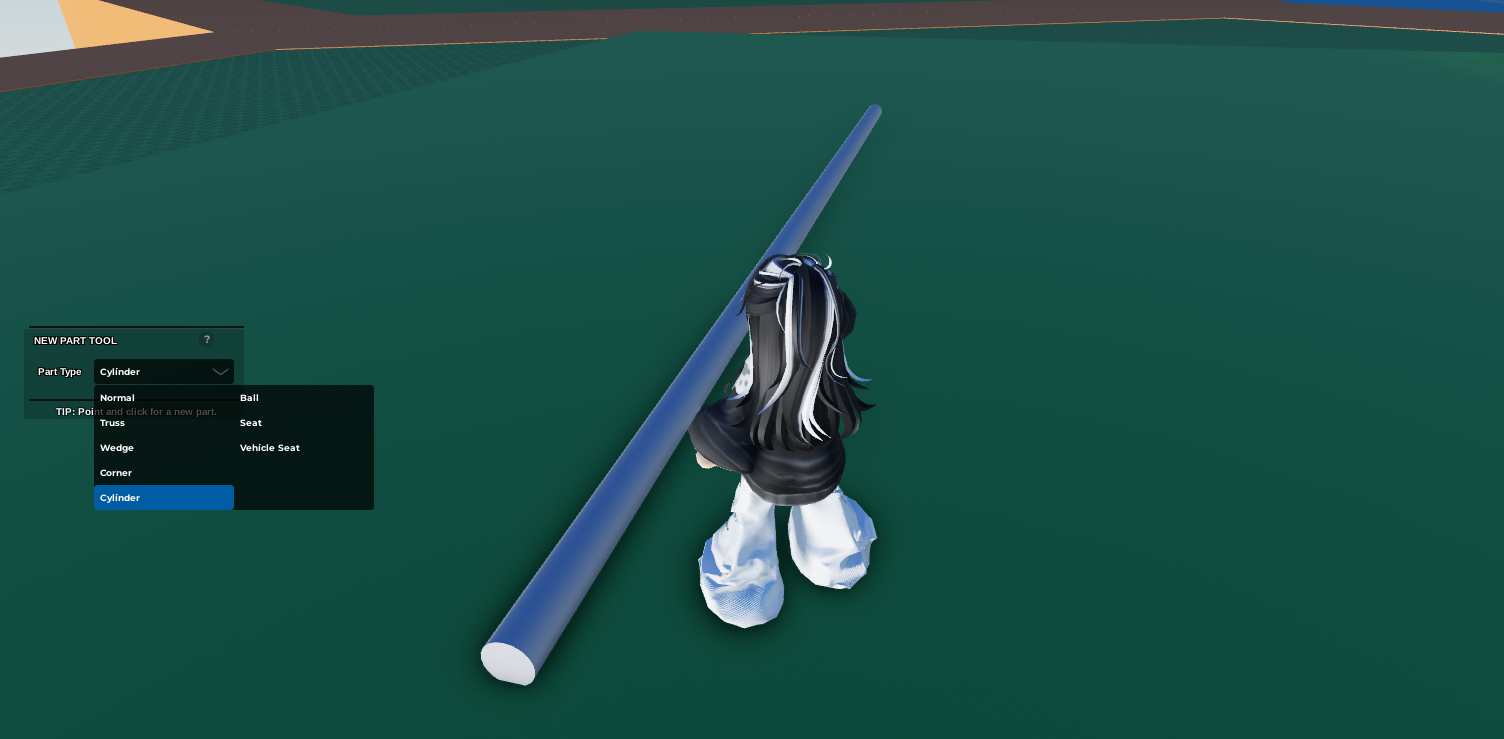 3. Click on the Cylinder then open
 Code Builder
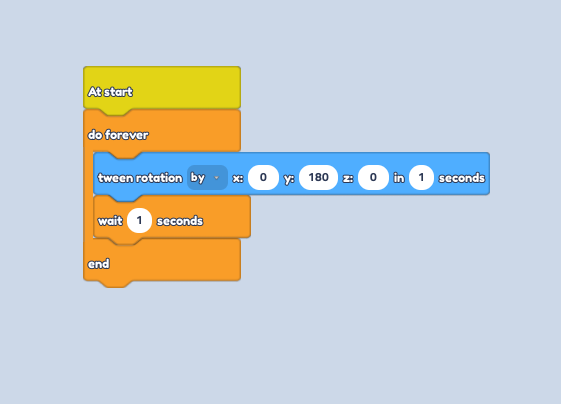
4. Go to the Events section and drag the "At Start" Block
5. Then go to the Control section and drag the "Do Forever" Block. | After this section, attach all the other block inside the "Do Forever" Block (Check Coding Image Reference below)
Go to the
Motionsection and drag the "Tween Rotation to ..." Block.Click on the dropdown and change the "To" to "By"
Type in 180 in the Y section.
Depending on how fast you want the Cylinder to rotate; insert a higher amount of seconds to make it faster and lower amount to make it slower. ||| This allows the Cylinder to keep rotating 180° in the amount of seconds you want.
Go to the
Controlsection and drag the "Wait ..." BlockMake sure you type in exactly the same number of seconds as what you typed in on the 'Tween Rotation to ..." Block.
 13. At another section, go to the
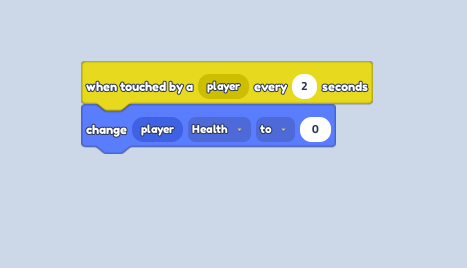
 Events section and grab the " When touched by a player ... " Block
14. Type in 2 for the amount of seconds, making sure the Kill Block is not too touch sensitive.
15. Go to the Player section and drag the "Change Player health to 0" Block.