This code is versatile, and can be used not only for a police siren, but for any spinning lights, including a lighthouse!
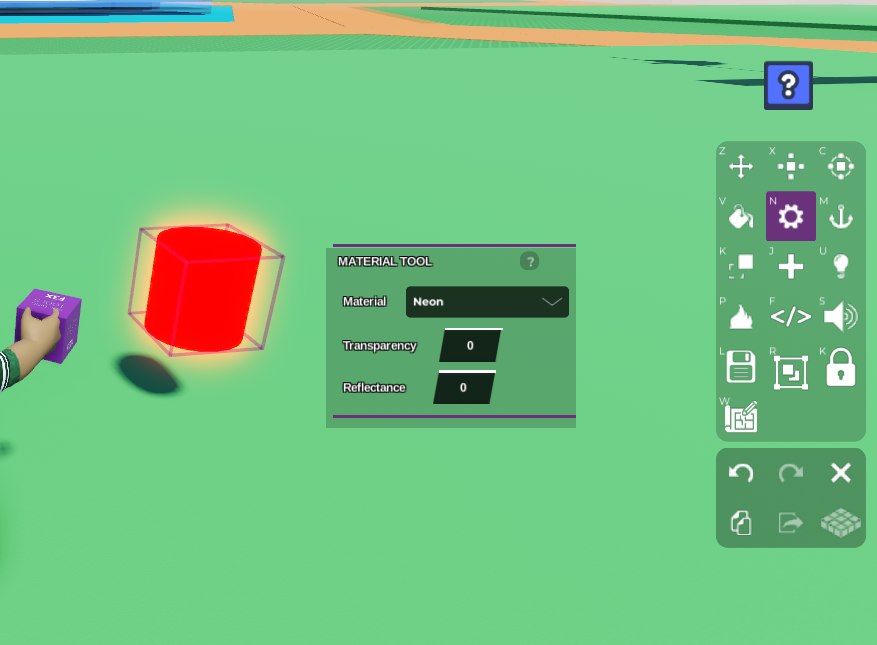
- Get a cylinder in your scene, and colour it red. Change the material to neon as well by clicking on the material tool in the toolbar on the right, to give it that extra glow!
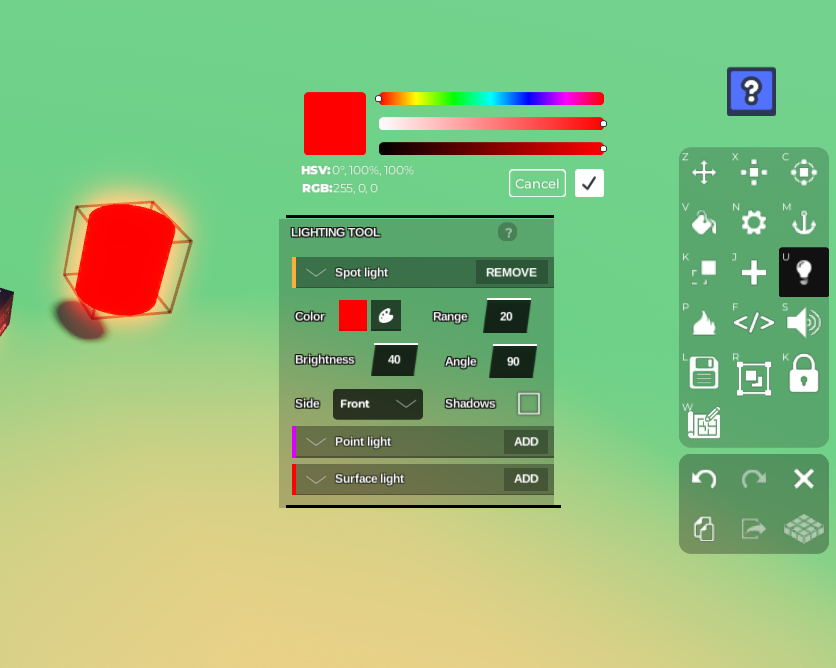
 2. Now we want to add a light to the object. Click the lightbulb sign on the right toolbar to add a light. Let's add a spotlight here and adjust the settings however much you want so that it's a really bright red. Make sure the light is facing the front so it's visible when it rotates horizontally.
 3. Now let's open Code Builder by clicking the </> button on the right toolbar. Name your script and object. We want to make this object spin at the start, so go to 'Events' on the left and grab the
 At start block.
Now go to 'Control' on the left and grab the
do foreverblock so this object rotates non-stop, and grab await -- secondsblock as well. Place them belowat start.Go to 'Motion' on the left and grab the
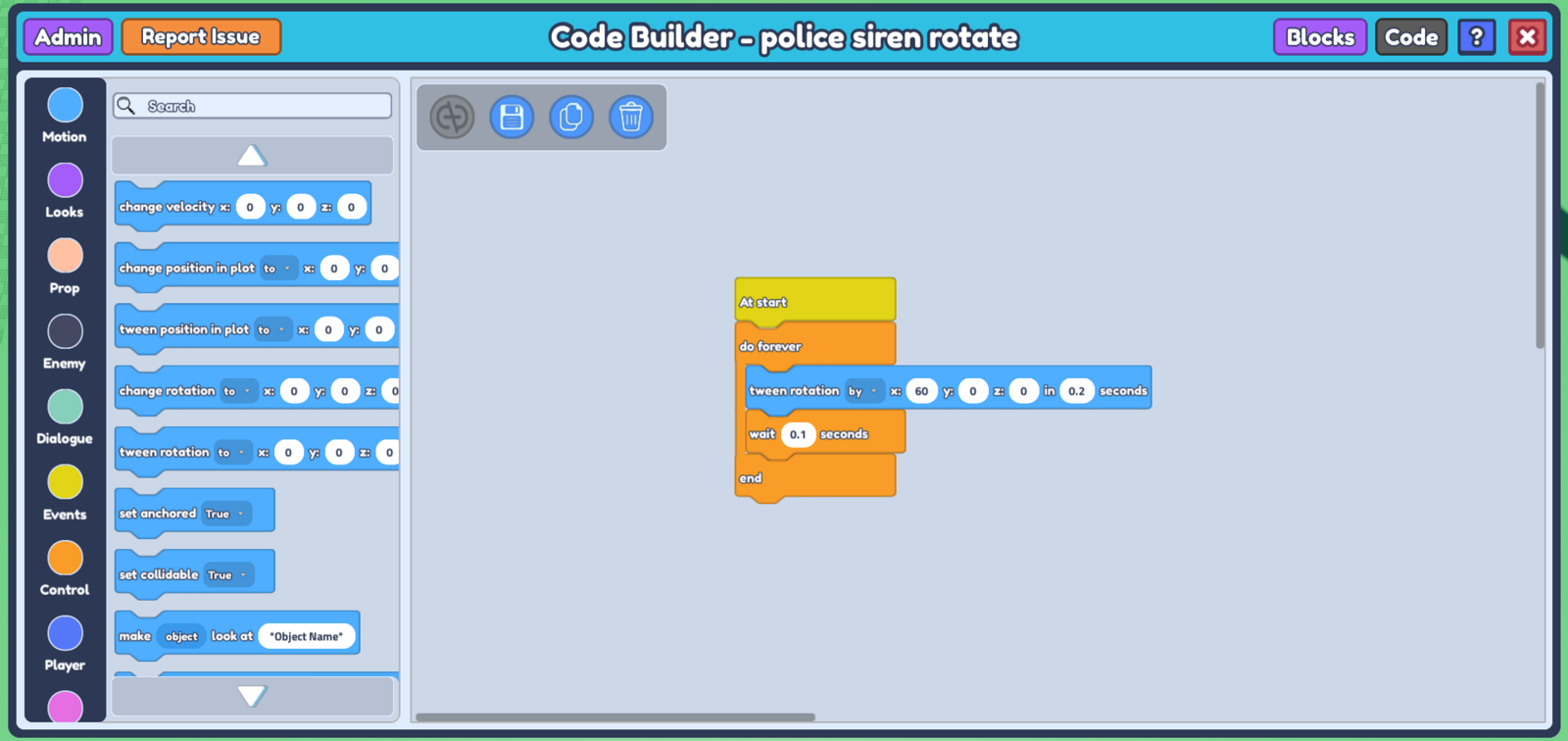
tween rotation to -- x : 0 y : 0 z : 0 in -- secondsblock. Place this block in betweendo foreverandend, and abovewait -- seconds. Don't forget to change thetween rotationblock's 'to' to 'by' in order to tween it by a certain amount instead of to a certain location.We want to rotate it horizontally, so we're going to put values in the ** x axis** of the
tween rotationblock. I want it to spin fast, so let's spin it by 60 degrees in 0.2 seconds. Ensure you put a value in yourwait -- secondsblock that is less than your value in yourtween rotationblock so there's no delay in the spinning. ( thewait -- secondsblock here ensures the code runs in a sequence, so it waits for a moment before running yourtween rotationblock again, just so the Code doesn't get confused ).
Your code should look something like this :
- Don't forget to save your code before closing your code builder. In your plot, ** duplicate your siren**, and rotate it by 180 degrees on the horizontal axis. Duplicating the object copies over the code and the light attached to it, so it will have a spotlight shining in two directions, the front and back.
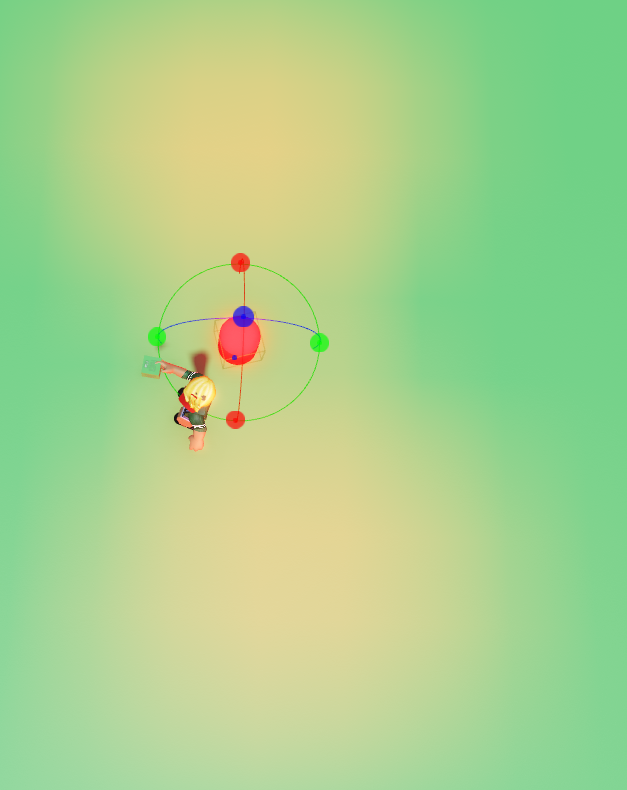 8. Now when you press 'play', the siren should spin like a police siren! You can adjust this code however you like, making it spin faster or slower, depending on the effect you want. You can even add sound effects!