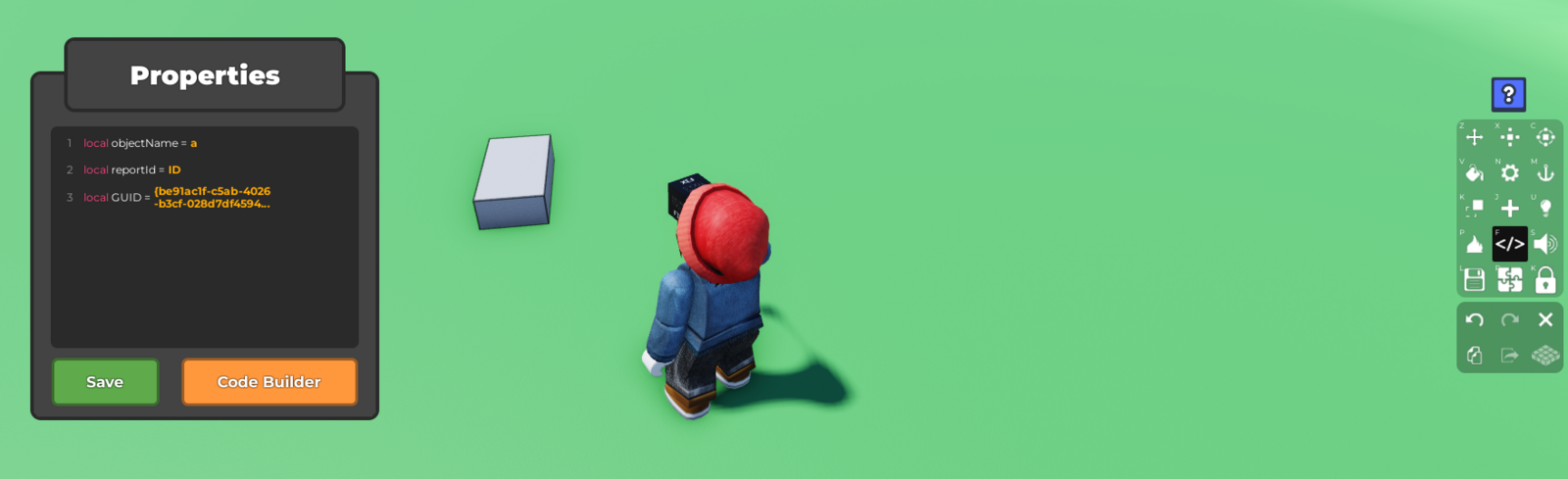
- Select on the Object/Props then click on the
Code Builderbutton
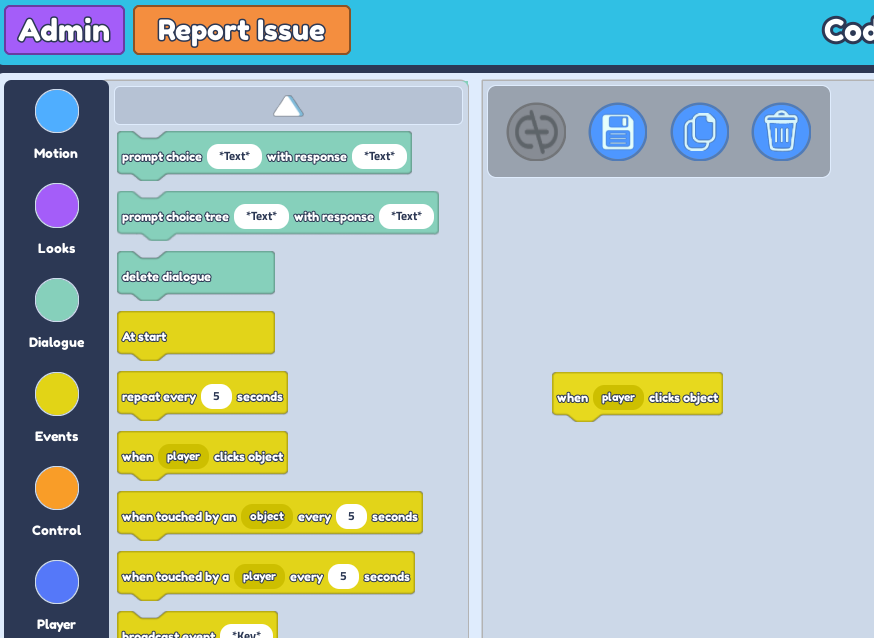
 2. Go to the
 Events section, then drag in "when player clicks object" block
 3. Go to the
 Motion Section next, then drag the "tween position in plot to x...."
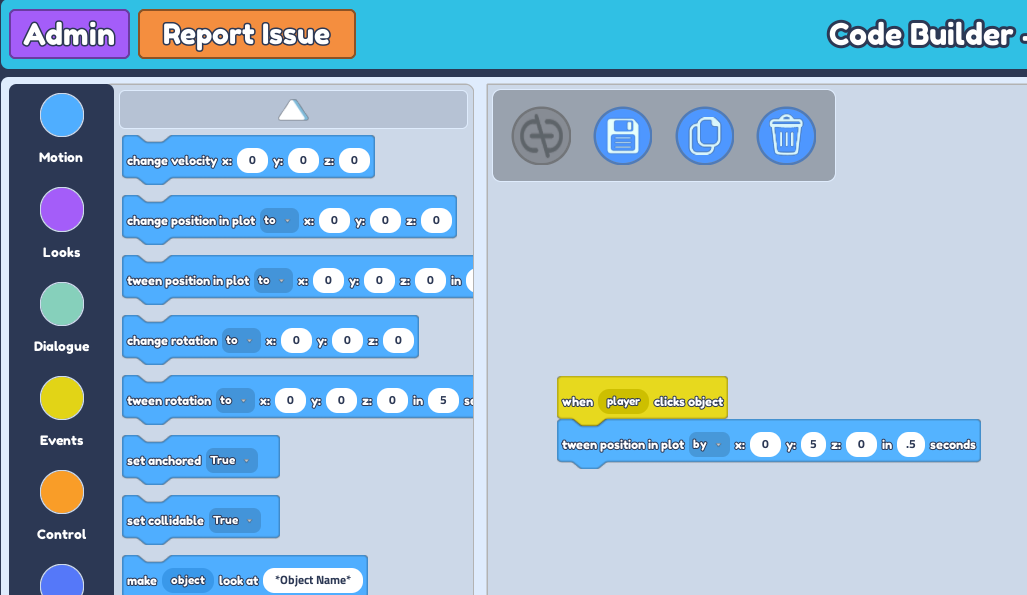 4. Change the
 to button to by
Increase the value of Y to the height of the object you want it to be
Increase the value of seconds to adjust how fast you want the object to be from the ground to the floating point.