Ever wanted to make multiple objects spin around in a ring? Well then, this code is for you!
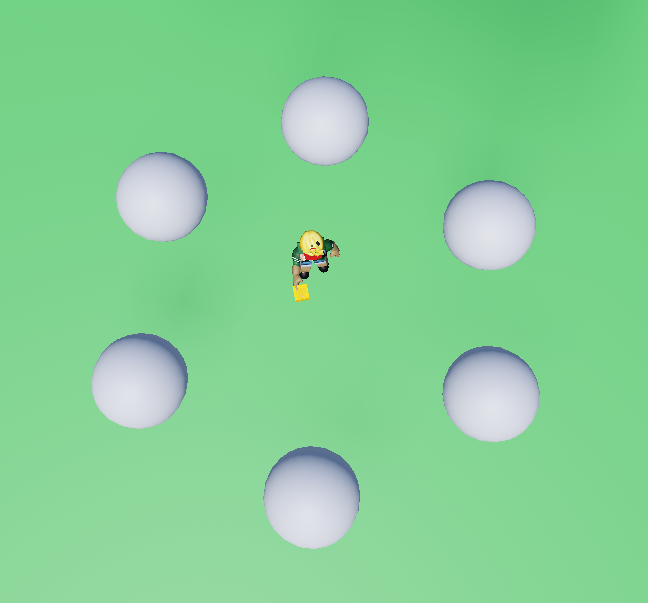
- Take a sphere, and duplicate them and arrange them into a circular pattern like so.
- Select all of your spheres, and on the right toolbar, click the group parts button. Press the 'MERGE' button. This will combine your objects into one object that you can apply code to, unlike the 'GROUP' function.
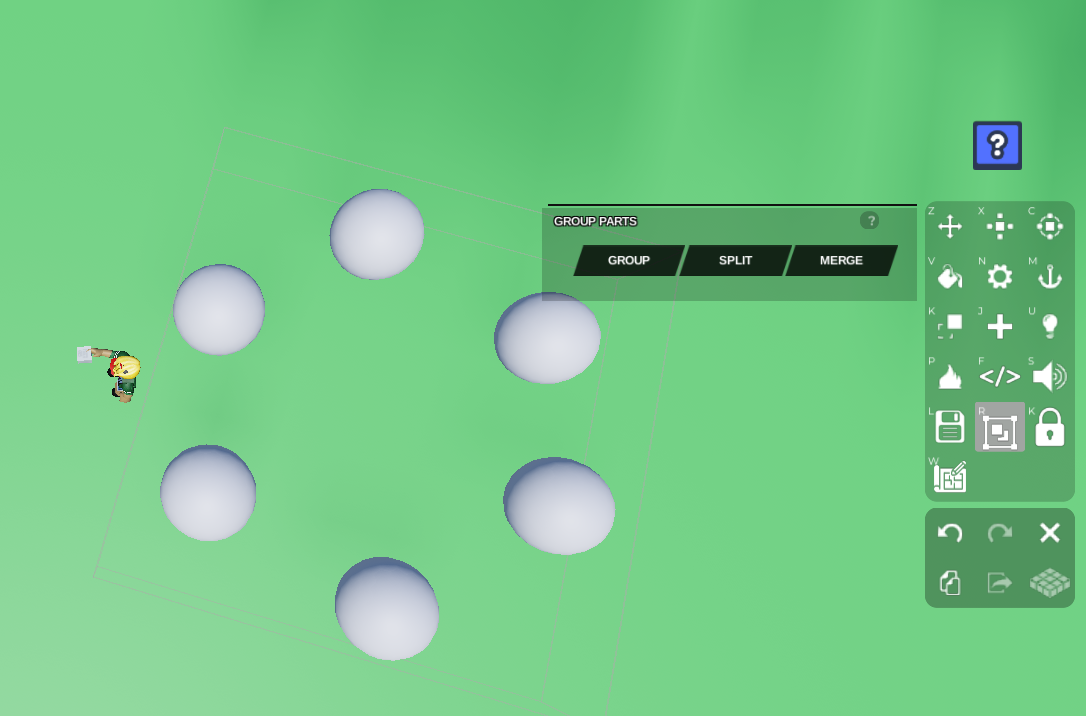
Once your objects are merged, go to Code Builder by pressing the </> button on the right toolbar. Name your script and object. Go to 'Events' on the left and grab the
At startblock so your objects will start rotating as soon as you press play.Then go to 'Control' and grab the
do foreverblock and await for -- secondsblock. Place these blocks below yourAt startblock. Place yourwait -- secondsblock in betweendo foreverandend.Now go to 'Motion' and grab the
tween rotation to x : 0 y : 0 z : 0 in -- secondsblock. Change thetween rotationblock's 'to' to 'by' in order to rotate the object by a certain amount instead to a certain location. Place this block in betweendo foreverandend, just abovewait -- seconds.We want to rotate the object horizontally, so double-check the object's rotation direction by rotating the object in the plot and checking which axis it is rotating on. In this case, we want to rotate the y axis.
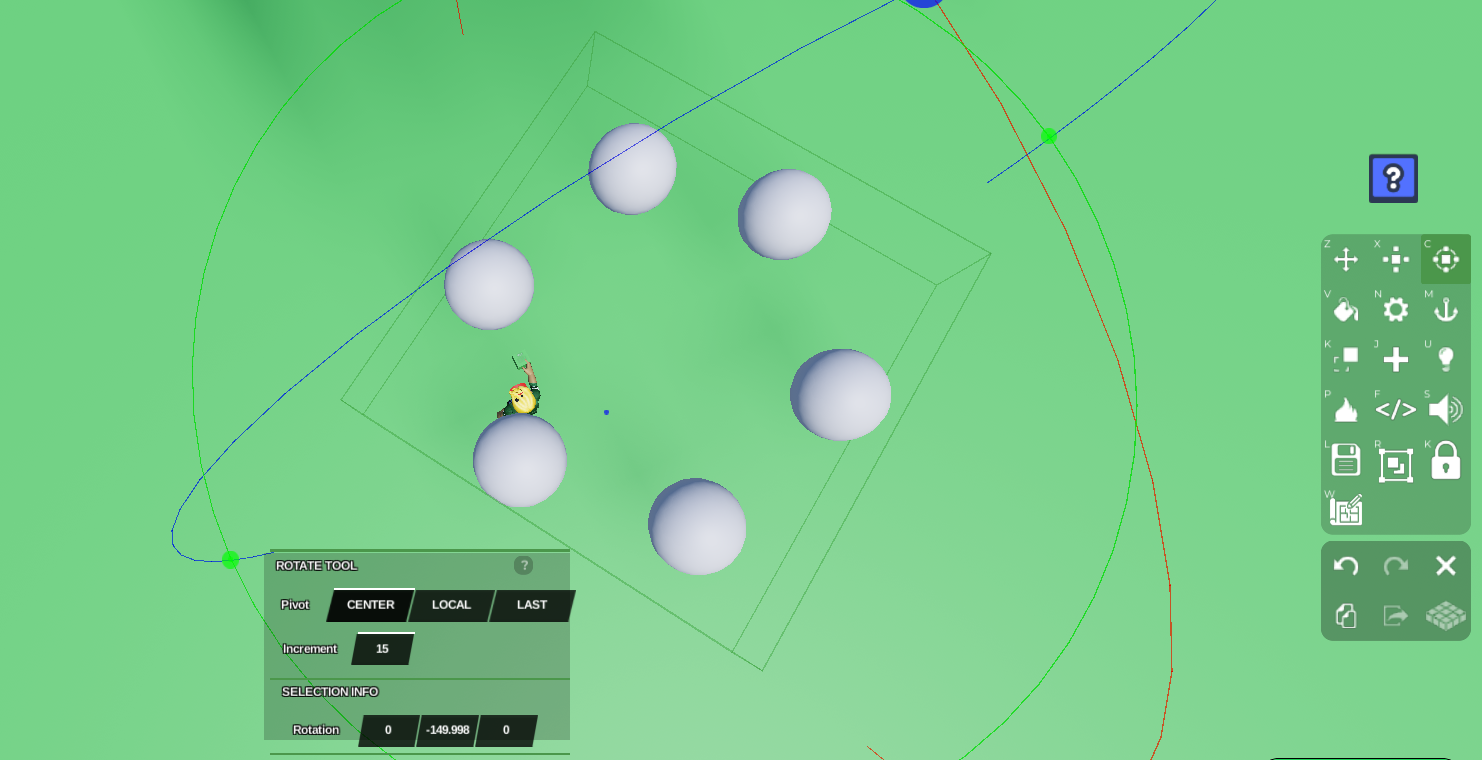
- Input a value in your
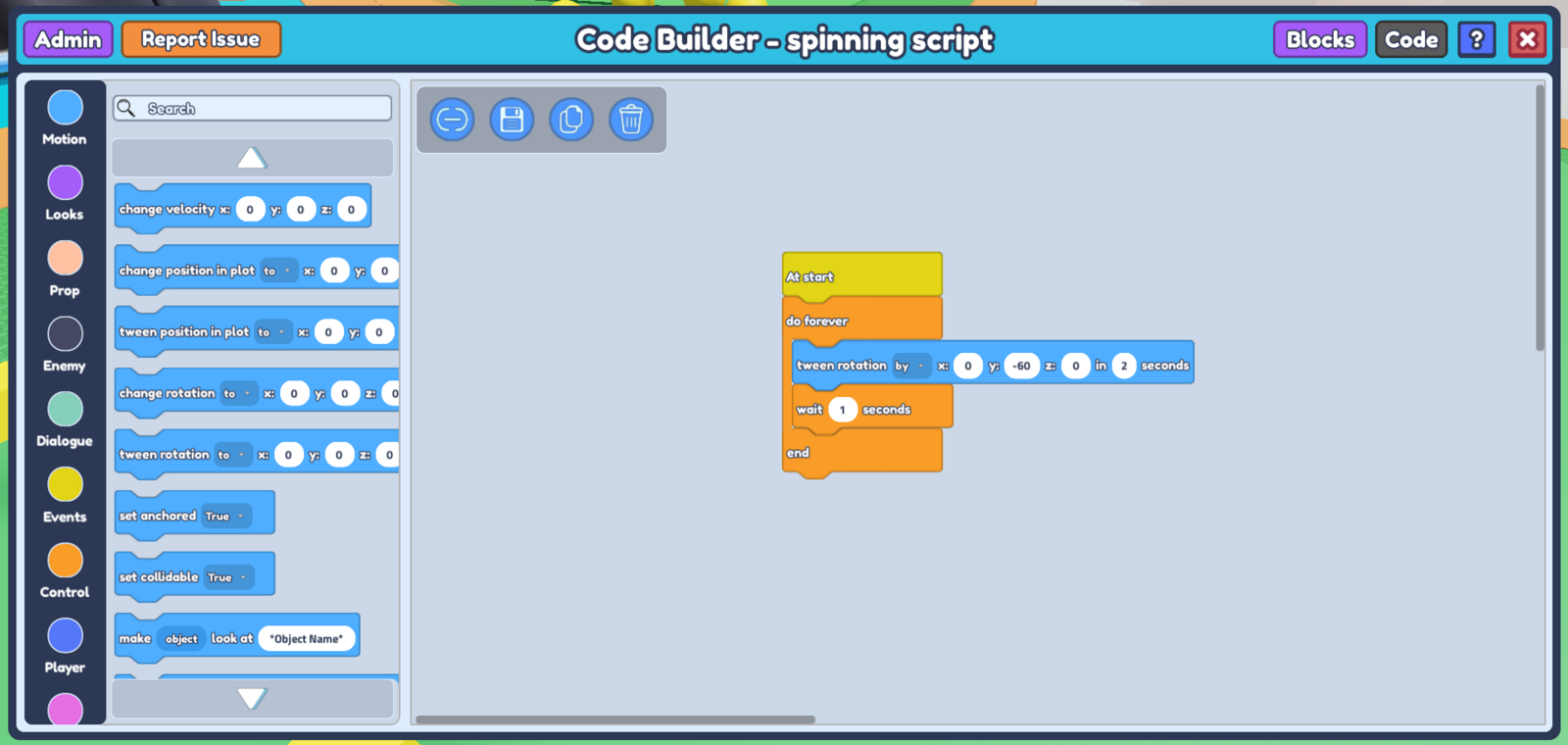
tween rotationblock. Try to keep it to below 360 degrees (if you input exactly 360, the object will not spin). In my case, I want mine to spin relatively fast, so I'll tween rotation by 60 degrees in 2 seconds. Make sure to input a value in yourwait -- secondsblock as well, and ensure that the duration you input is less than the duration you put in your tween rotation block so the delay is unnoticeable. * * (adding a wait -- seconds block in your do forever loop ensures that there's a proper sequence to your code, so it knows which code to run first and will not get confused)
At this point, your code should look like this.
- Don't forget to save your code, and your object should start rotating as soon as you press play! Feel free to adjust the rotation amount and duration to change its speed.