Place a part on the ground that you can step on, and open the code builder
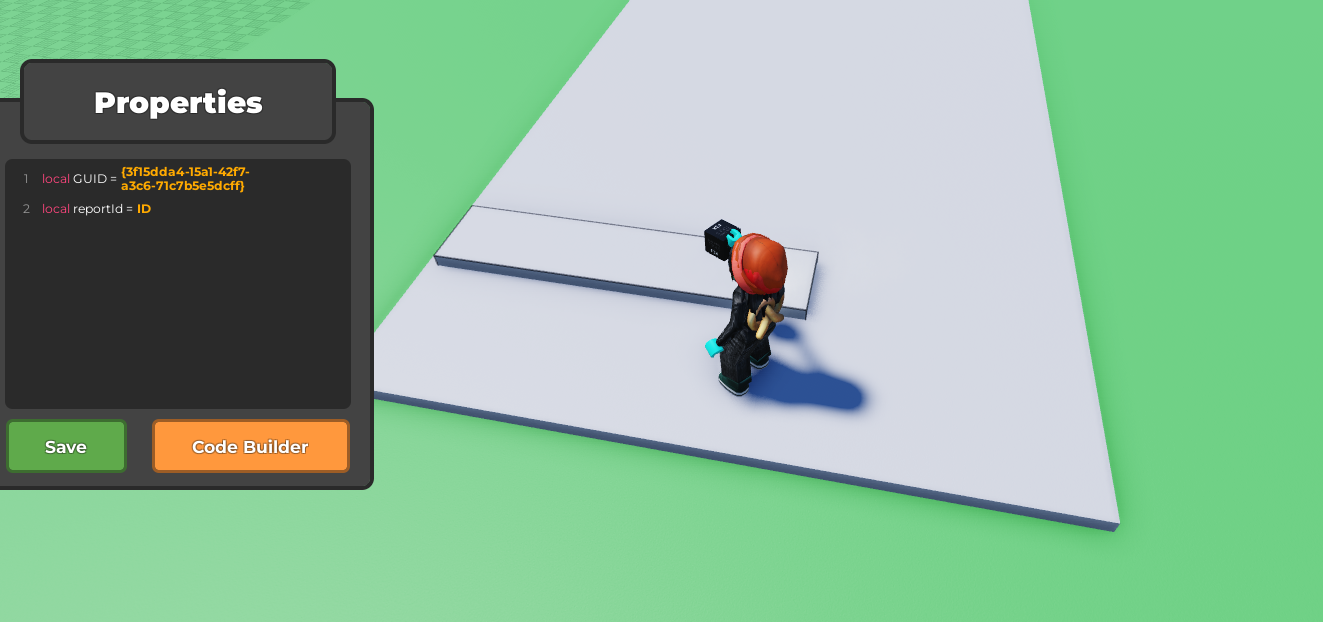
Start with a
When touched by a playerblock from Events and change the seconds to 1.From Player, use a
change player's --block. Change the health drop down to walk speed, then change the number to2to make them slow.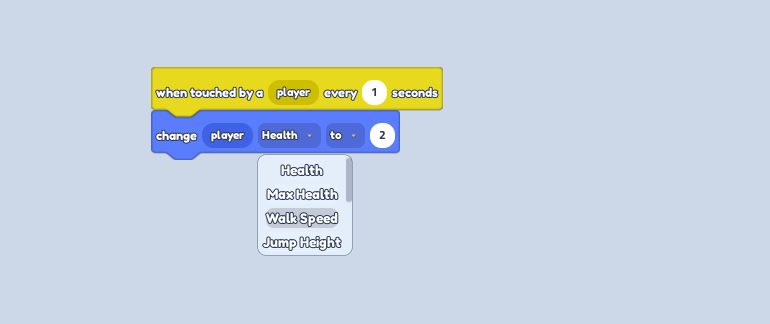
Place a
wait - secondsblock from Controls and change it to however long you want the effect. Underneath, place anotherchange player's --block from Players and change the number to 20, for normal walking speed, setting the player back to normal.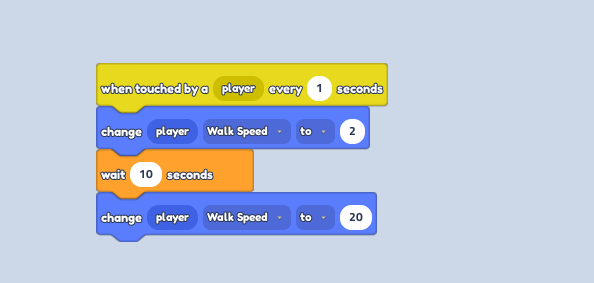
On a different part, place the same code, but instead of a 2 walk speed, put 60 for super speed.
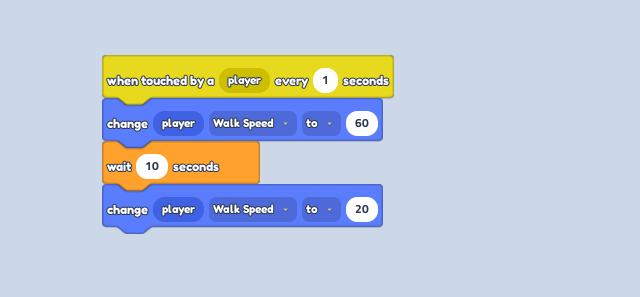
Scatter the parts along the floor, along with kill bricks. Press play and laugh at your friends struggle to avoid the killbricks or slow walk to the finish line!
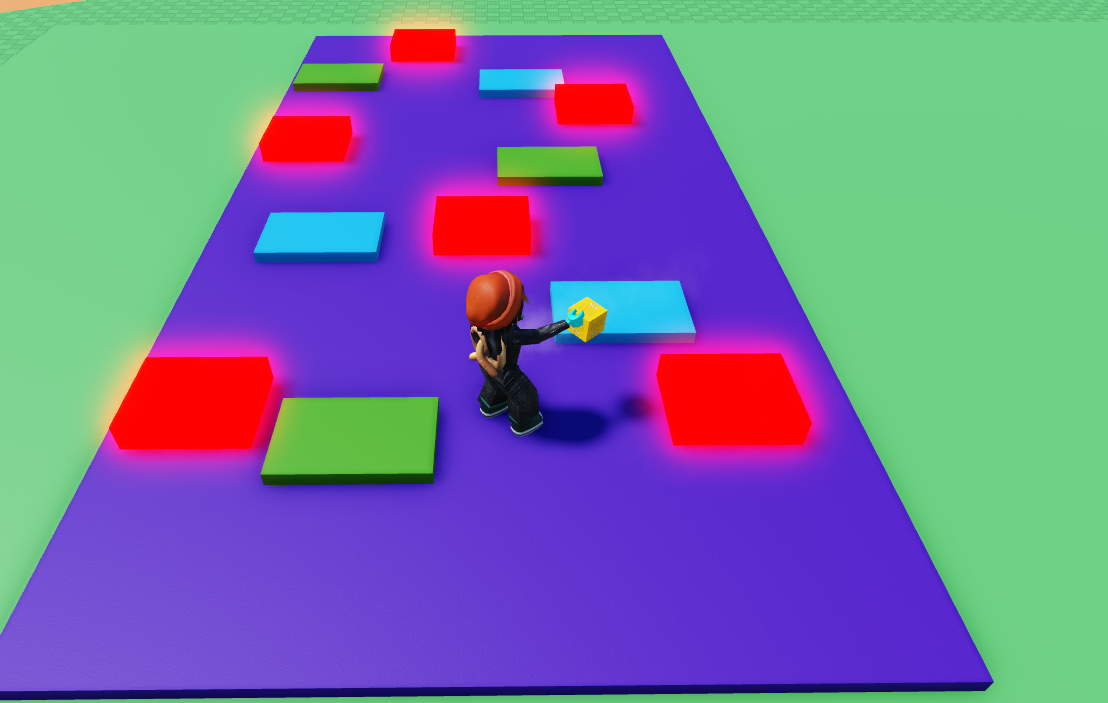
How to make parts change players speed obby level
Last updated: February 4, 2025
Was this article helpful?
Thanks for your feedback!