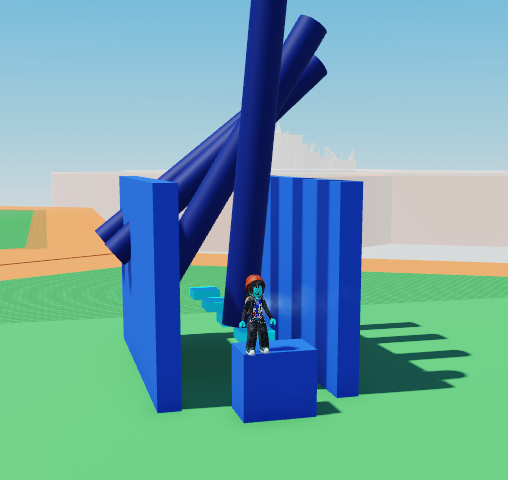
- Start by placing your jumping parts, making thick cylinders above.
make sure the cylinders are as thick as the jumping part so it fully pushes the player off
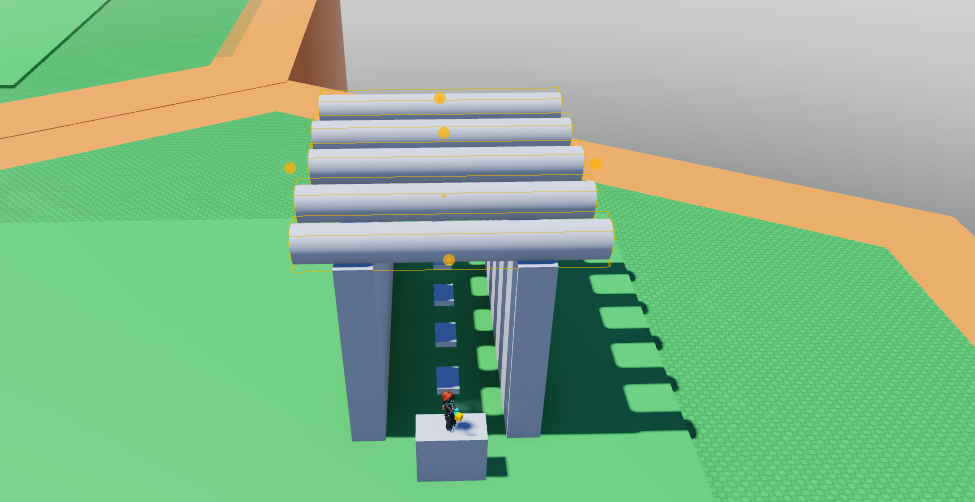
Select one of the cylinders and open up the code builder.
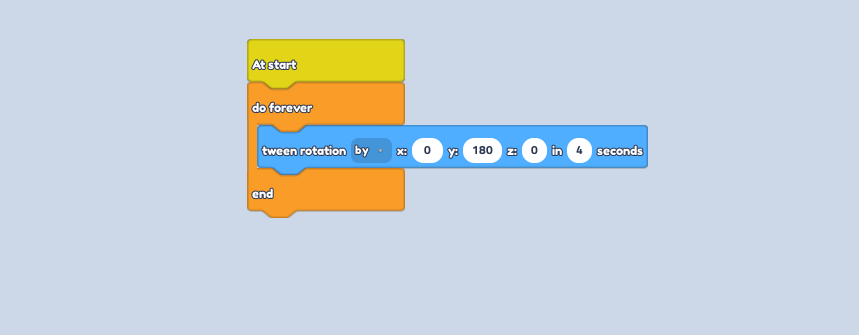
Start with a
at startblock from Events, followed by ado foreverblock from Control.
Inside the
do forever, place atween rotationblock from Motion.Using the drop down menu, change the to, to by. In the xyz, write 180 as the value into the y
This will change depending on what direction you're facing. Rotate your cylinder on the plot to see which input to use.
Place a
wait - secondsfrom Control, and change it to 1 second. And that's the code!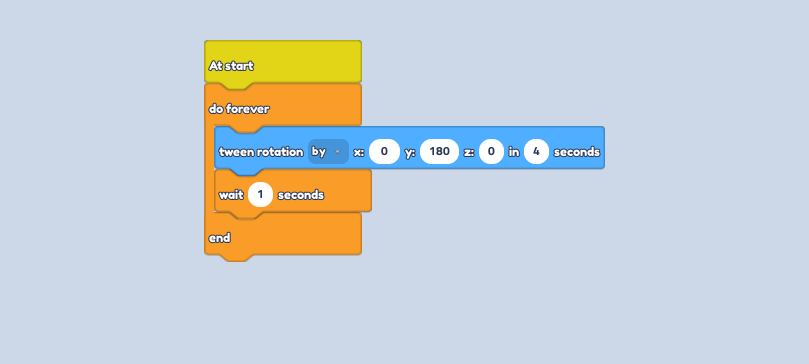
On the next cylinder, use the same one, however change the seconds son the
wait - secondsblock, higher. Get higher with every cylinder so there is a delay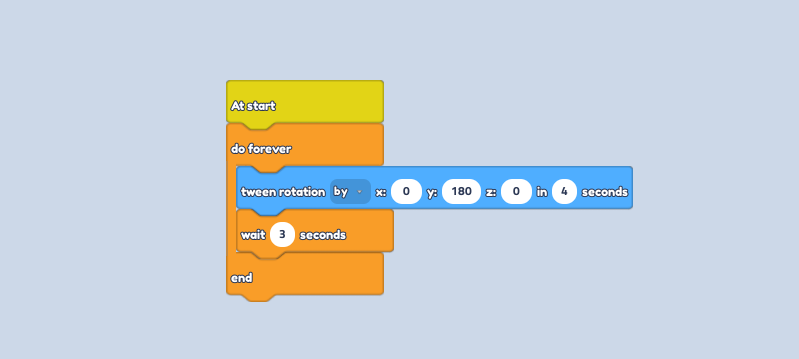
Colour your obby parts and press play to watch them spin!