Ever want to build an obstacle where players can fall if they step on the wrong block by chance? Here's an example of a really simple, classic 'choose between the two' obby!
Let's first add 2 blocks in the game - one 'safe' block, and one 'unsafe' block that disappears when the player steps on it.
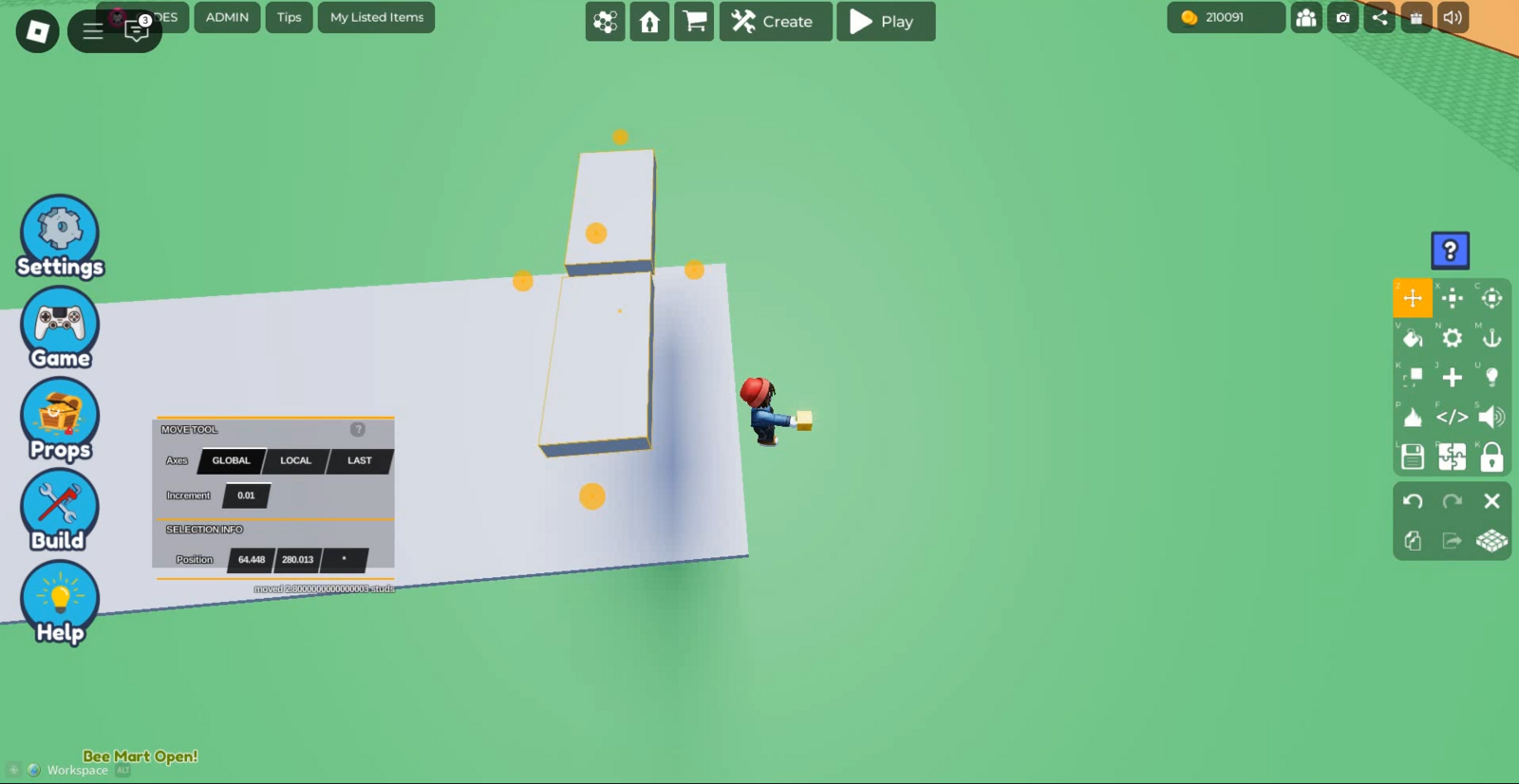
Now let's select one of the blocks and click the code button on the right toolbar (</> button). You should see the Properties tab open, and press 'Code Builder' to open the Code Builder tab.
Name this script (eg. disappear block) and the block (eg. danger block). Refer to this page on how to make an object disappear when it's touched by a player. Your code should look something like this!
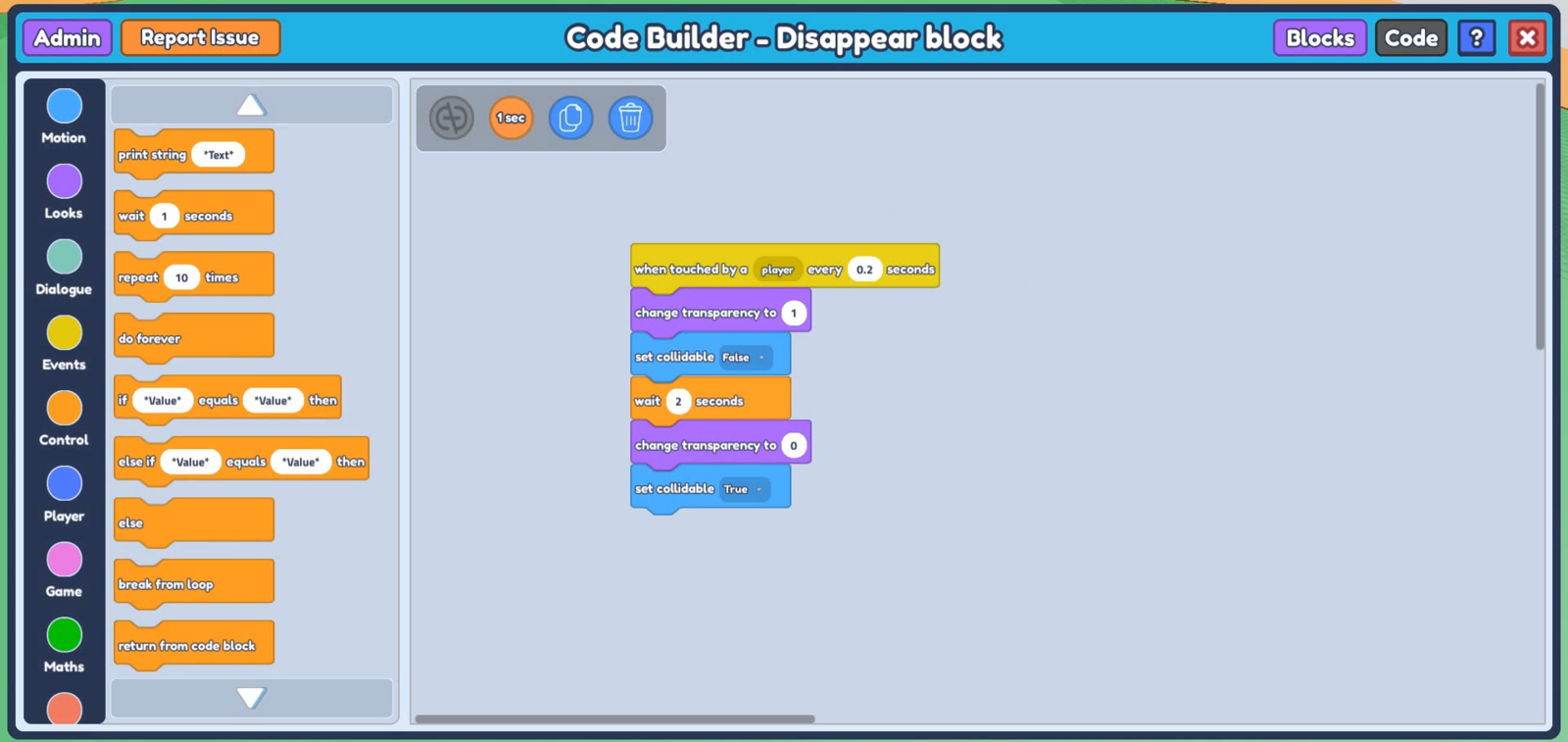 The code above makes the object disappear when the player touches it every 0.2 seconds, and appears again after 2 seconds. You can customize the code by changing the 'change transparency' block to a 'tween transparency' instead, or even make it so that the object does not reappear again by removing the blocks that changes transparency to 0 and sets collidable to true. Click HERE for a more in-depth breakdown of this code!
Let's now colour the danger block (for now) to make it easier for us to distinguish the two, and duplicate these two blocks to make several rows for the player to jump through - I'm making 4 rows of this obstacle.
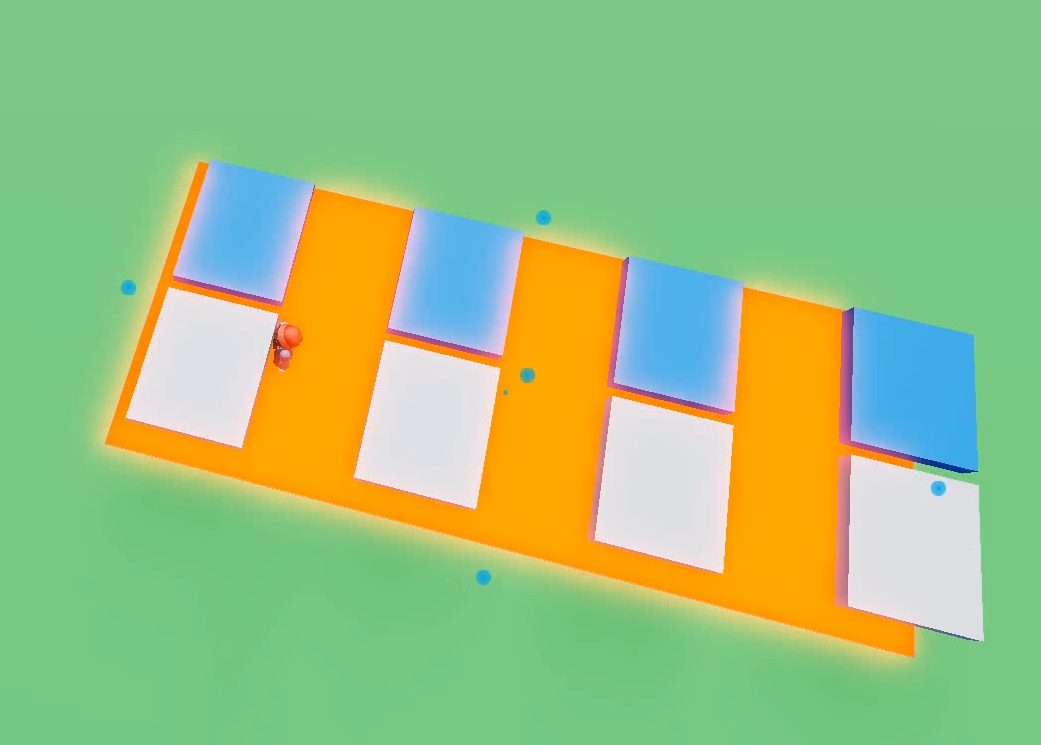
When clicking on the danger block in each row now, you will see hey have the same disappearing block code, because we cloned it from the original coded object. This** icon on the top left of the Code Builder tab** indicates that clones of the same object has the same code, and when you edit the code of one cloned object, the rest of the clones will be affected as well.
 Let's also make a kill brick below the obstacle course to up the stakes, so when players step on a danger block, they fall right into the killbrick!
Add another large block on the ground of the obstacle course, select it and go to the code builder (</>) button on the right toolbar to open up its Code Builder tab. Name your script and object.
Go to 'Events' on the left and grab the
when touched by a player every -- secondsblock. Input a low number for the seconds to ensure the Kill Brick doesn't delay before being able to kill a player again.Go to 'Player' on the left and select 2 blocks -
change player Health to 0andrespawn player. Then go to 'Control' and grab thewait -- secondsblock. Arrange your code so it looks like this:
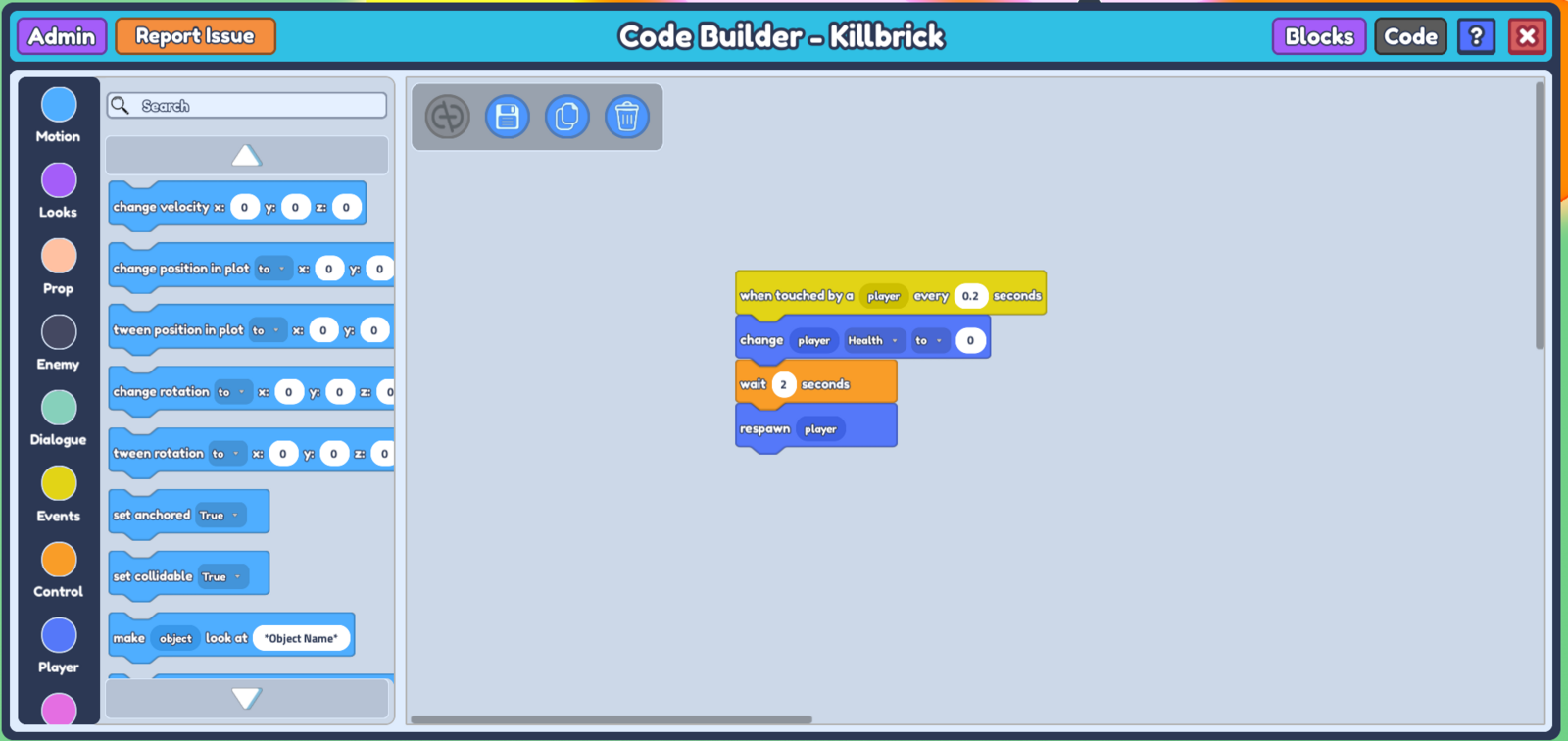 This Code essentially kills the player upon touching the object, waits for 2 seconds before respawning the player. You can customize the amount of delay before the player is spawned by changing the value in
 wait -- seconds.
- Simply randomize the location of the danger block in each row so players will have to take a chance on which block they can stand, and if you want, colour the safe blocks and danger blocks the same colour to make it extra difficult!
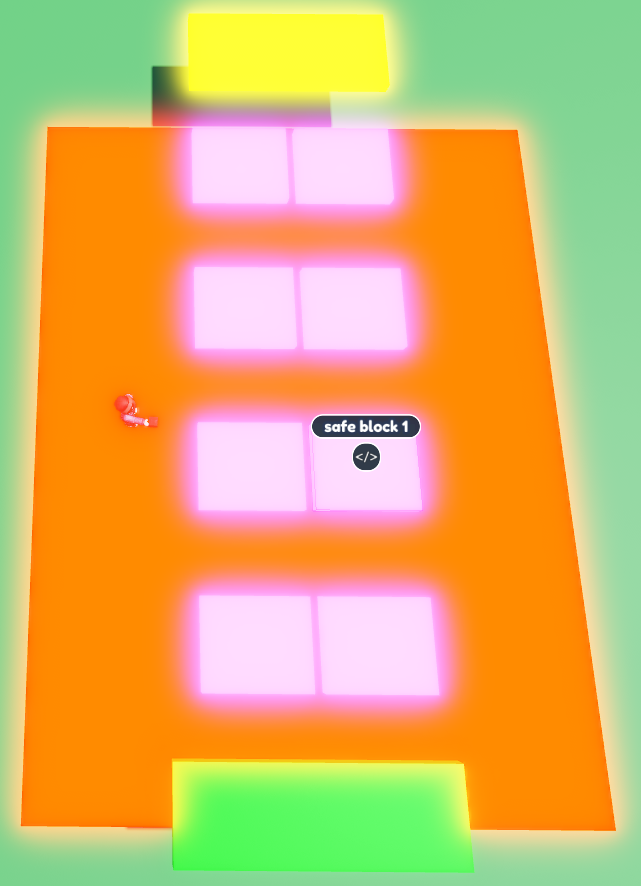
You can customize this obby however you want by adding more danger blocks on each row, having a 'start' and 'end' point, or even having more rows of the obby!