Select an object you want to animate (Note - object has to be an individual part, as the code builder does not work for objects made out of grouped parts). On the toolbar on the right side, select 'Code'. You should see a Properties tab open with the options 'Save' and 'Code Builder'. Press 'Code Builder' to open the block scripting tab.
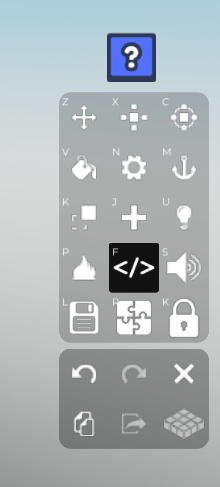
Once you're in the code builder, name your script and the object you're applying the code to. After that we can start building the code.
On the left side of the Code Builder, go to 'Events' and grab the
At Startblock. This is to indicate when the code will start - without an Events block, the code will not run.After, go to 'Control' on the left side and grab the
do foreverblock so the code runs throughout your play session, and place it below yourAt startblock. It should look like this :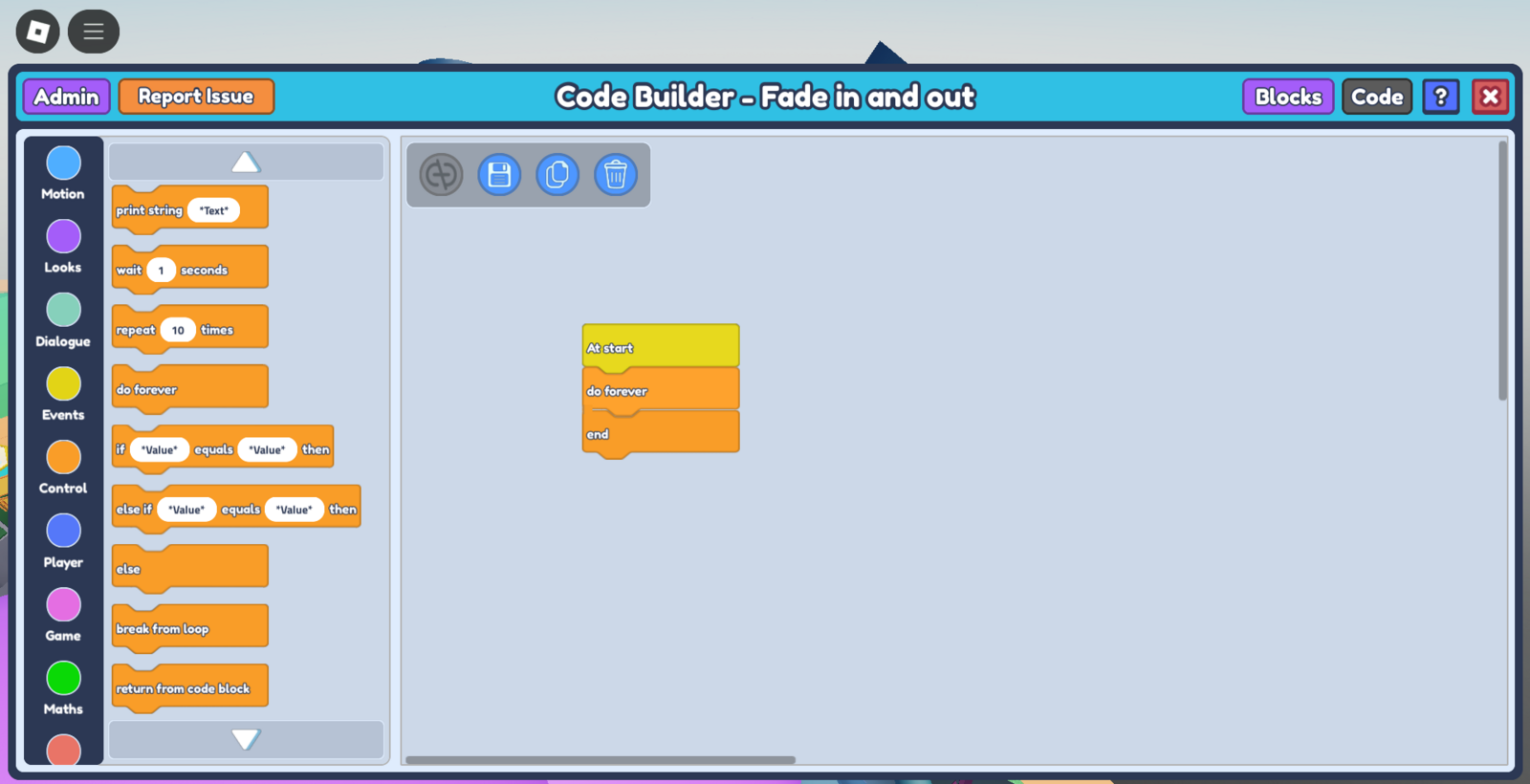
On the left, go to 'Looks' and grab the
tween transparency to - in - secondsblock, and place it in betweendo foreverandend. Set tween transparency to 1 to make the object completely fade out, and set the amount of time taken for them to fade out (5 in this case, for a smoother transition).Duplicate your tween transparency block and place it just below your previous tween transparency block, but this time set tween transparency to 0. This makes the object fade back in.
Go to 'Control' and grab the
wait - secondsblock and place it in between your two purple tween transparency blocks - this block indicates the delay before you want the next block to run. In this case, we want to wait until the object completely fades out before running the next block to fade them back in, so set thewait - secondsto at least 5 seconds (I set it to 5.5 seconds just in case).Duplicate your
wait - secondsblock and place it below thetween transparency to 0block. This creates a repeatable sequence for the Code to do forever - fade out, wait for 5.5 seconds, fade in, wait for 5.5 seconds, repeat. At this point, your Code should look like this :
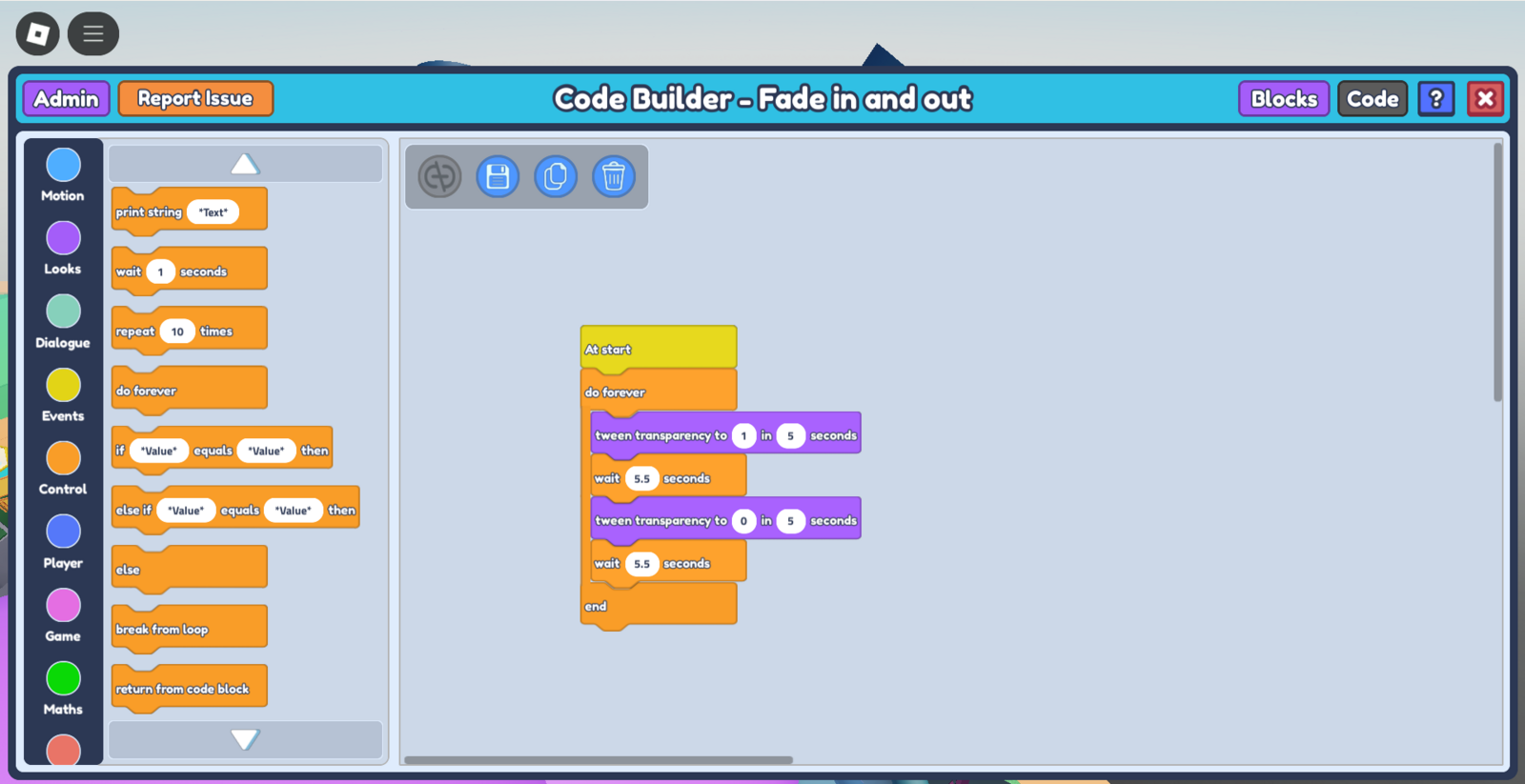
- Save the code by pressing the save button just below the Code title, and press 'play my game' to see your object fading in and out. You can simply adjust the values to make different effects (eg. flickering, slow reveal). Enjoy!