This tutorial would be perfect for animating objects and making an Obby!
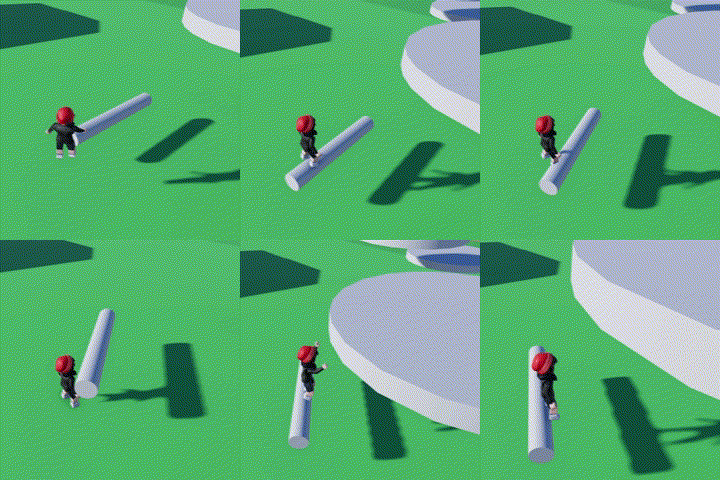
- Open the code builder
- Name your Script and the Object you are working on
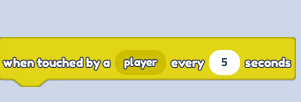
- Find "When touched by a player..." in "Events"
- Find the "Tween rotation" block in the "Motion" blocks section and change it to "By"
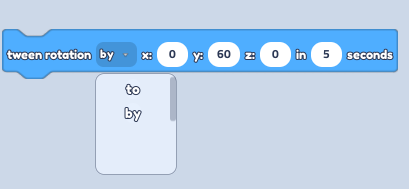
You can pick which rotation you need (X, Y or Z) and how much it can be effected by rotation by choosing the best value (Number)
- Play and enjoy the result!