This simple code is perfect for a 'gathering' mechanic, if you want to gather objects to another object after clicking them in your game!
- Let's place 2 objects in your plot - one that will be the 'gathering point', and the other that will move to said point.
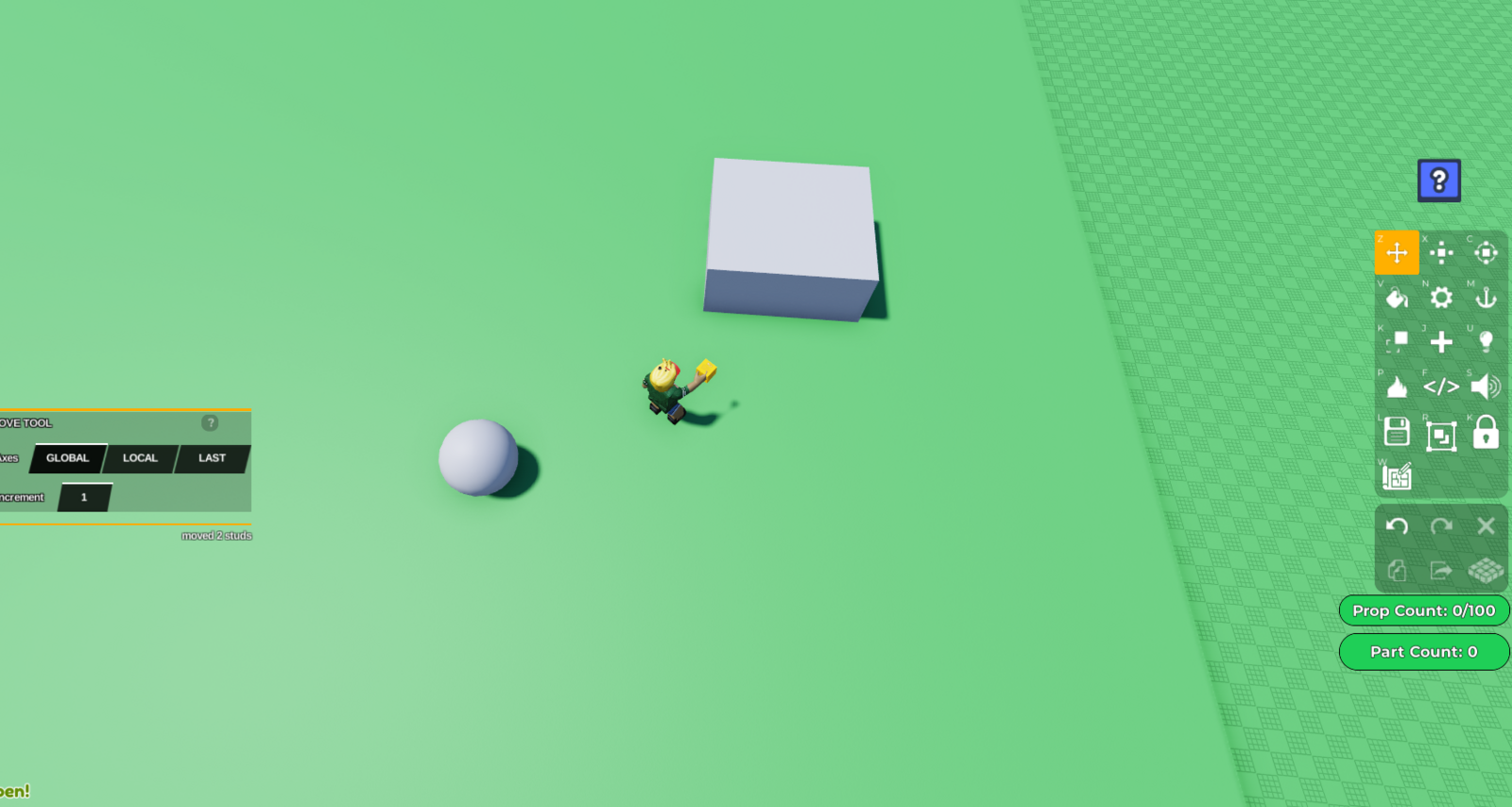 2. Select your 'gathering point', and open its Code Builder by pressing the '</>' button on the right toolbar. Once the code builder tab opens, you should be able to name your script and object. **For this code, it is important to name your object without any spaces, **and to remember your object name including capital/lowercase letters, as you will be using it as reference later. I'll name my object 'Gatheringpoint'.
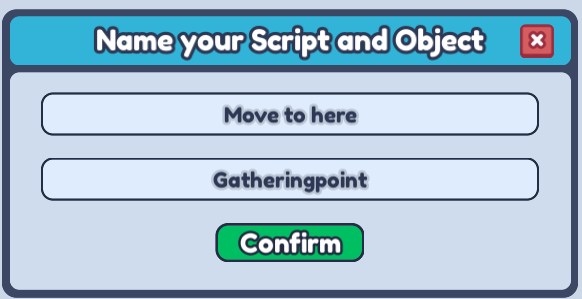 That's all the only thing you will need the Code Builder for in the 'gathering point' object, as it is the static object you'll only be using as a reference.
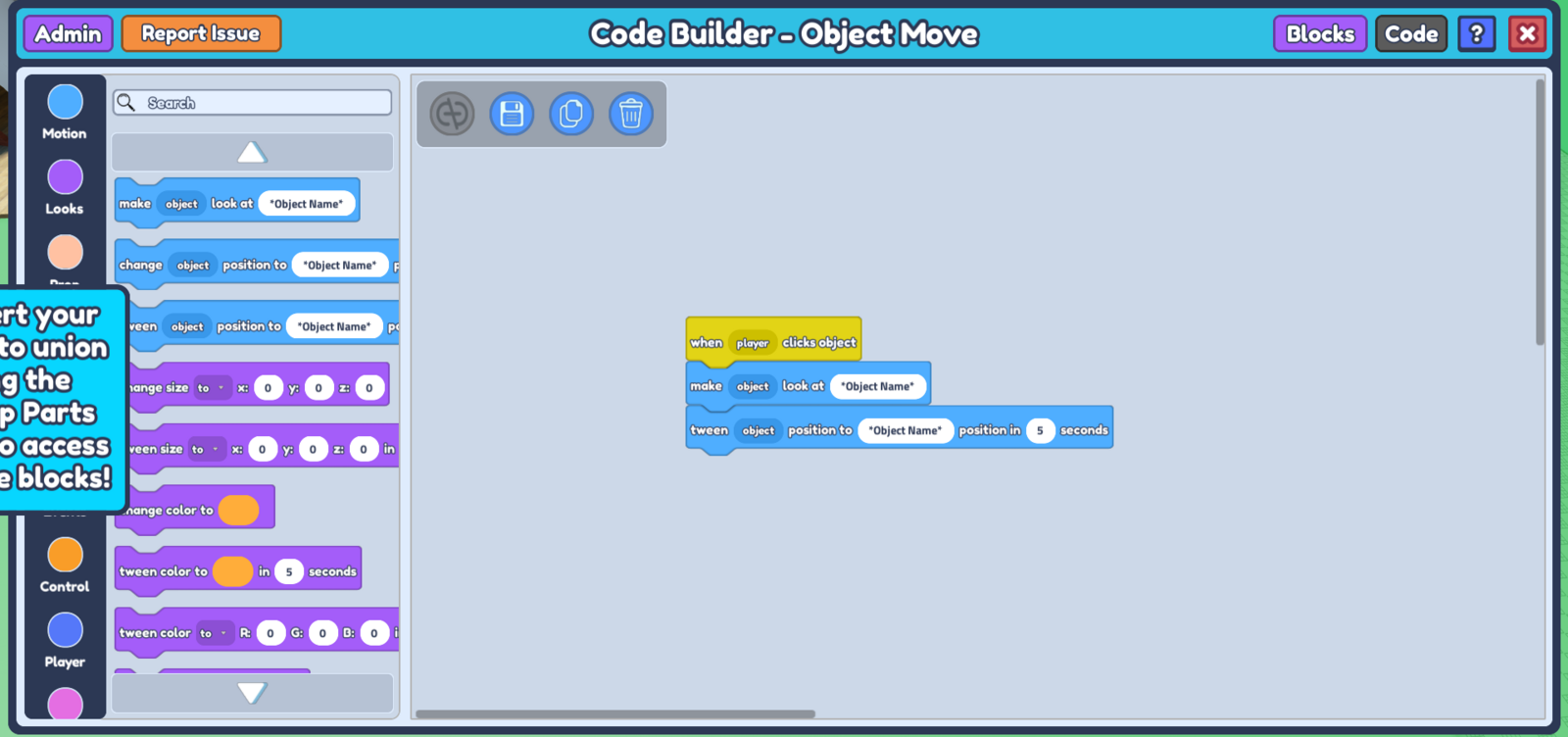
Now select the object you want to move to the gathering point when clicked, and open its Code Builder. On the left, go to 'Events', and grab the when
player clicks objectblock.Then go to 'Motion', and grab the
make object look at 'Object name'block and thetween object to 'Object name' position in -- secondsblock. Place these two blocks below your first block in step 3. Feel free to input any number in thetween objectblock as it indicates the duration it takes for the object to move to the gathering point. It should look something like this :
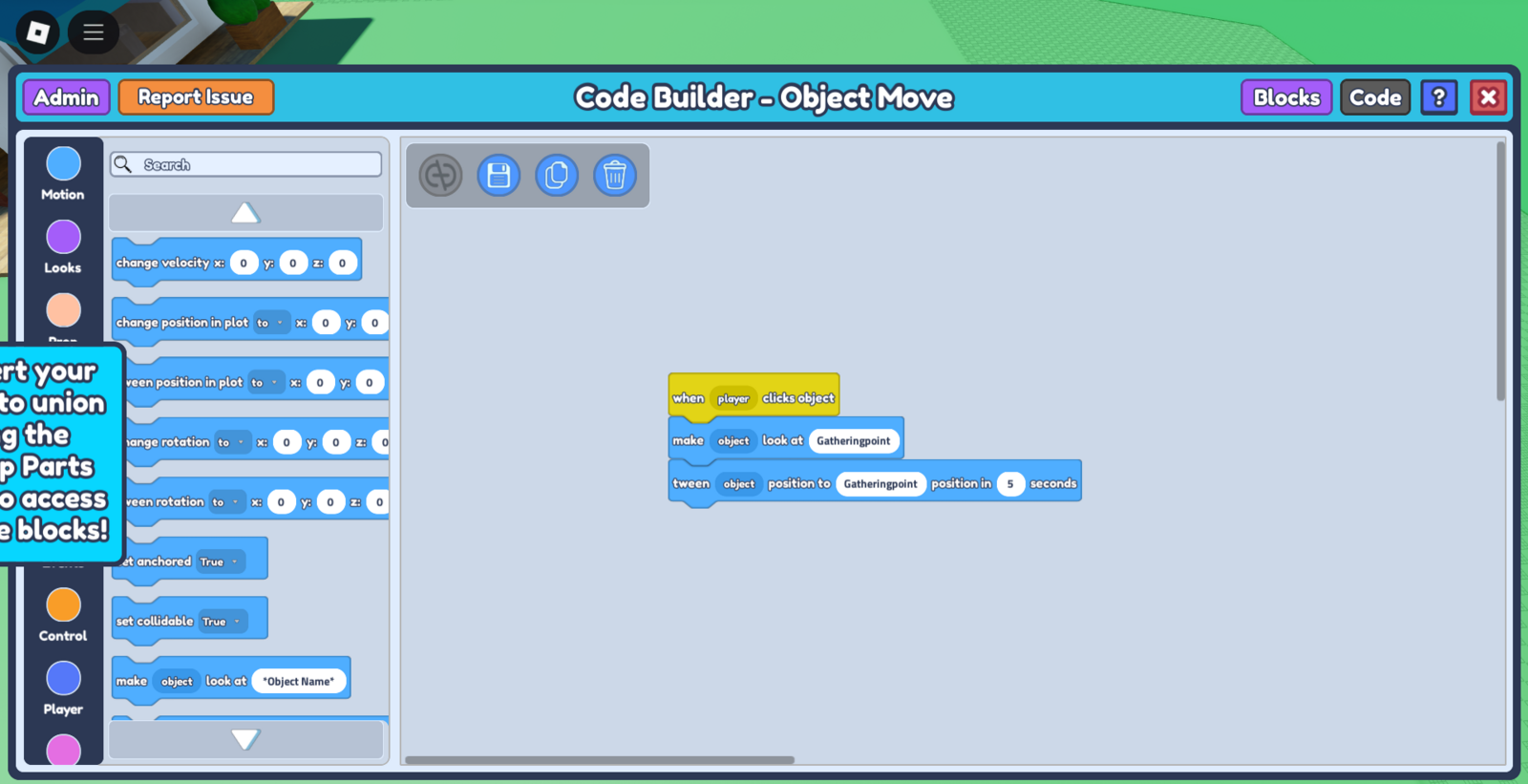
- Now comes the important part. We have to input what we named our gathering point earlier in 'Object Name' in our 2 new blocks. This is really case-sensitive, so you want to make sure there are no spelling errors, and to ensure even lowercase/uppercase letters are the same. So in our case, let's write down 'Gatheringpoint' as our Object Name.
- Make sure to save your code, and once you press 'play' you should see your object move to the gathering point object when clicked! You can place your object however far from the gathering point you'd like and adjust how fast you want it to move there by playing with the 'seconds' value in your
tween objectblock.